English
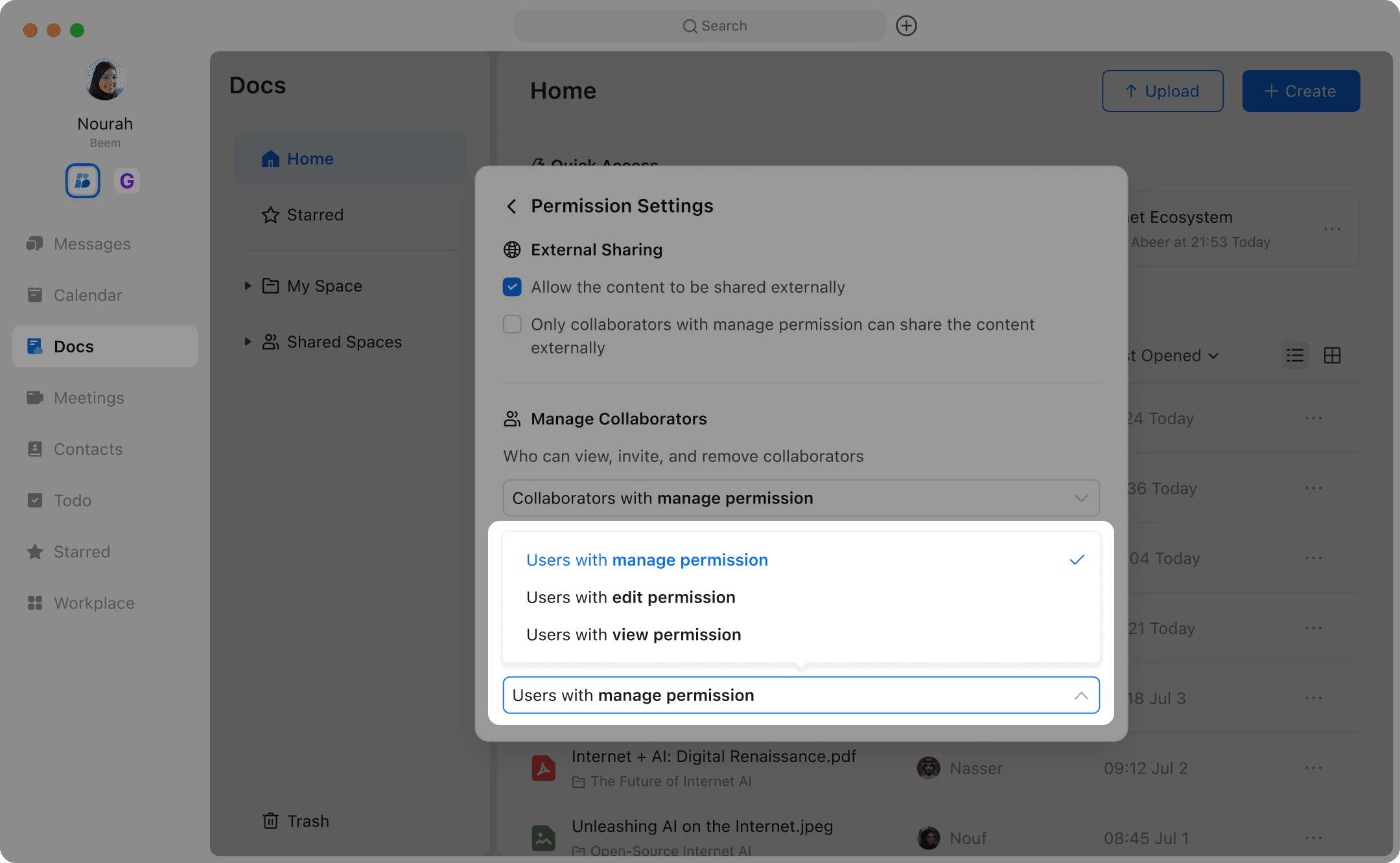
Take full control of your documents and folders by using Permission Settings in Beem Docs. This feature allows you to manage who can view, edit, or manage your files, ensuring secure and organized collaboration. By clicking the Share button and selecting Permission Settings, you can access the permissions page, where three main settings let you customize access for individual users or groups. With these controls, you can work confidently knowing your documents are shared safely and efficiently.
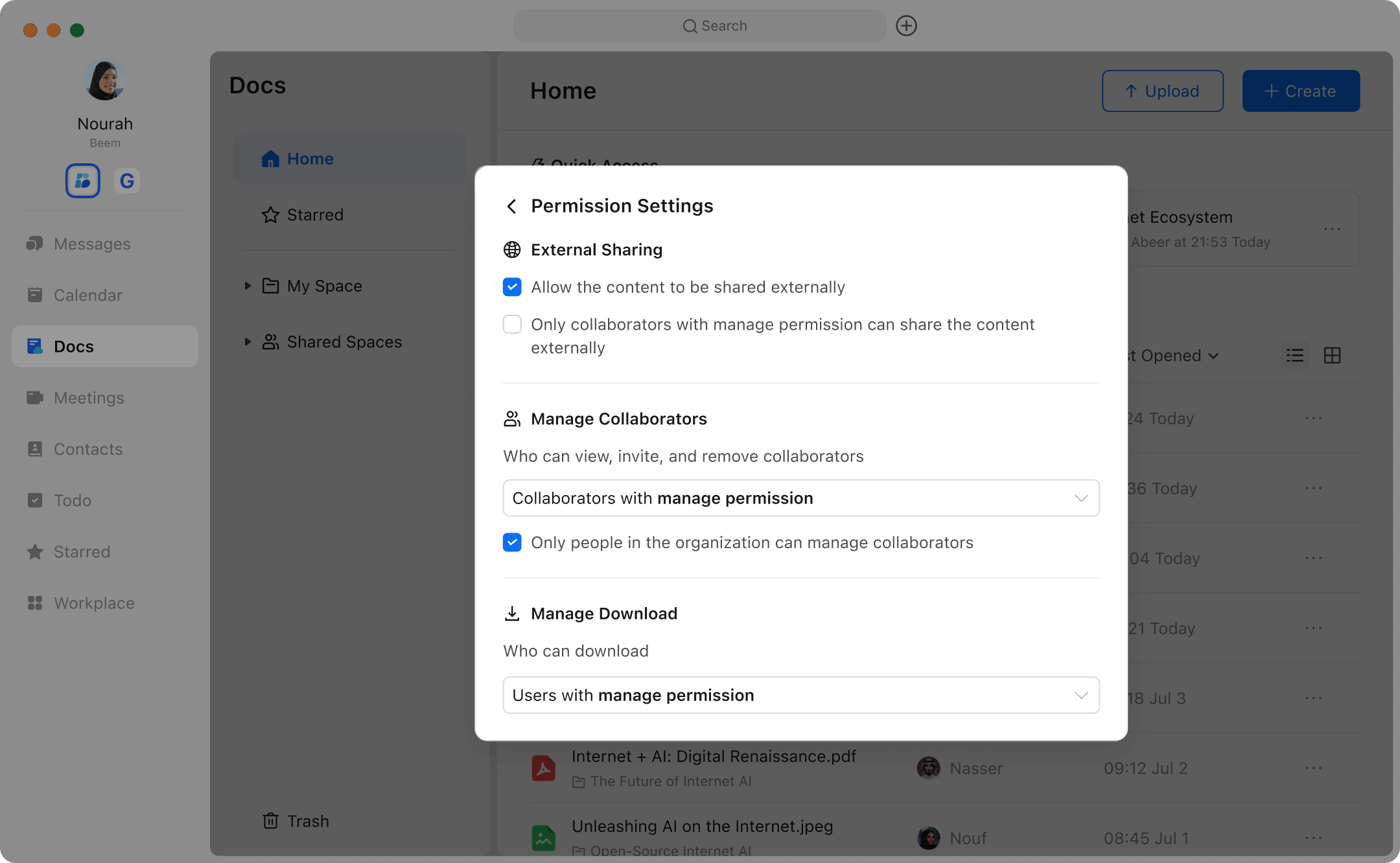
External Sharing
You can choose whether to enable Allow the content to be shared externally, which controls whether authorized users can add external collaborators or set the sharing link visibility to anyone with the link on the internet.
If you enable sharing outside the organization, you can further choose whether to check Only collaborators with manage permission can share the content. When checked, only internal users with admin permissions can share documents outside the organization. Users with read or edit permissions cannot add external users as collaborators nor set the sharing link visibility to “anyone on the internet with the link.”
Manage Collaborators
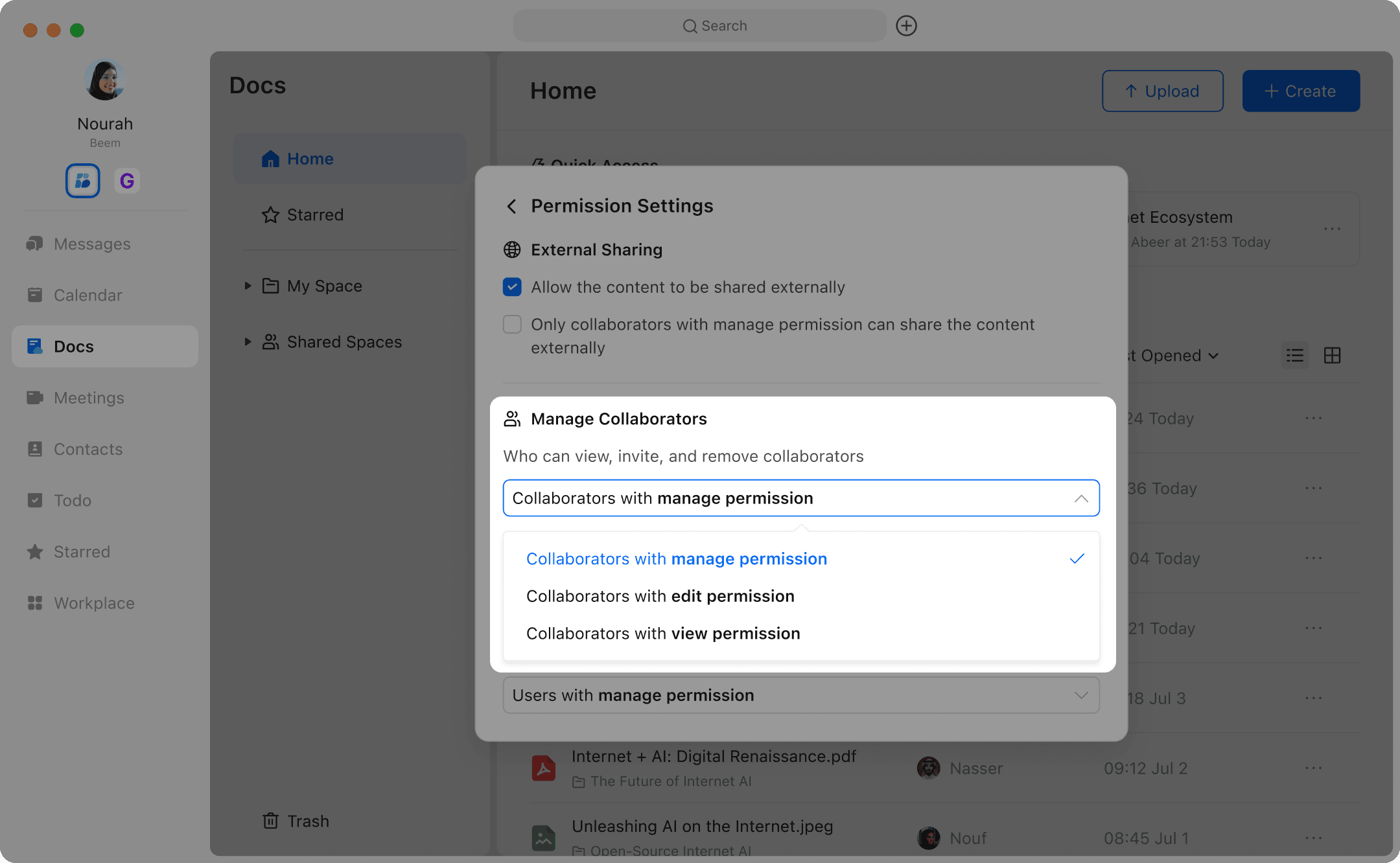
- In the permission settings page, locate Who can view, invite, and remove collaborators.
You can choose from Users with View Access, Users with Edit Access, or Users with Admin Access. For example, if only users with admin access are allowed to add collaborators, then users with View or edit permissions cannot add collaborators.
- If you have enabled sharing the document outside the organization, you can also choose whether to check Only users within the organization can view, add, or remove collaborators. When this option is checked, external users—even if they have read, edit, or admin permissions—cannot view or modify the collaborator list.

Set Who Can Download
- In the permission settings panel, find Who Can Download. You can choose from Users with Read Access, Users with Edit Access, or Users with Admin Access. For example, if you set only users with admin access to be able to download, then users with read or edit permissions will not be able to download.