access_timeEstimated reading time for this article: 3 minutes
Easily forward multiple messages at once using the Multi-Select feature. This allows you to quickly choose specific forwarded messages and send them together, saving time and keeping your communication organized. Follow the steps below to select and forward messages efficiently.
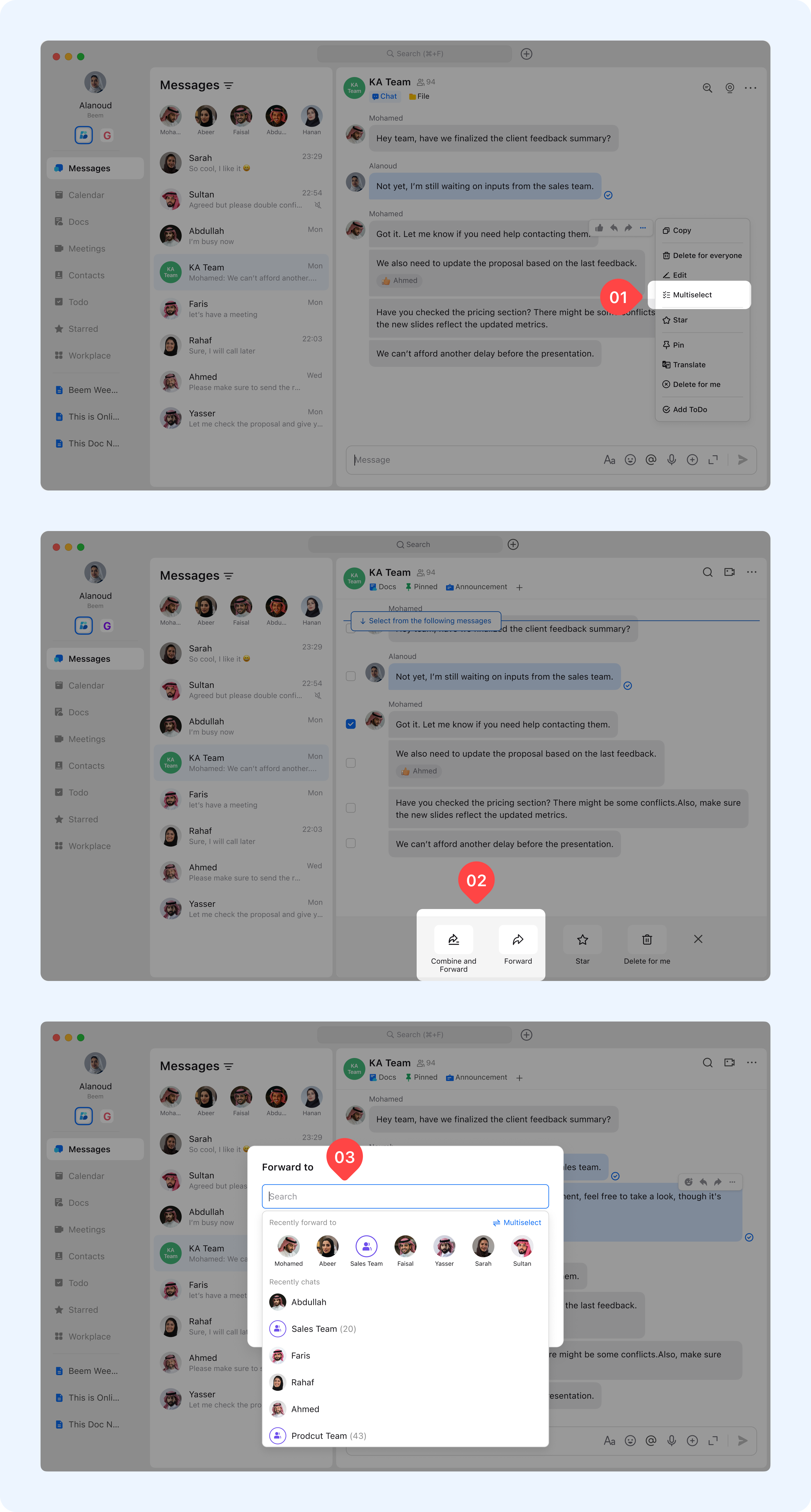
Right-click the message bubble and select Multi-select.
Select the specific forwarded messages you want.
Click Forward or Combine and Forward.
Choose the recipient(s) to forward the messages to.