access_timeEstimated reading time for this article: 2 minutes
Enhance collaboration in Beem Docs by using @Mentions to notify specific team members directly within a document. By mentioning someone, they receive an instant alert, making it easier to assign tasks, ask questions, or draw attention to important sections. Understanding how to use @Mentions ensures smoother communication and keeps everyone aligned while working together.
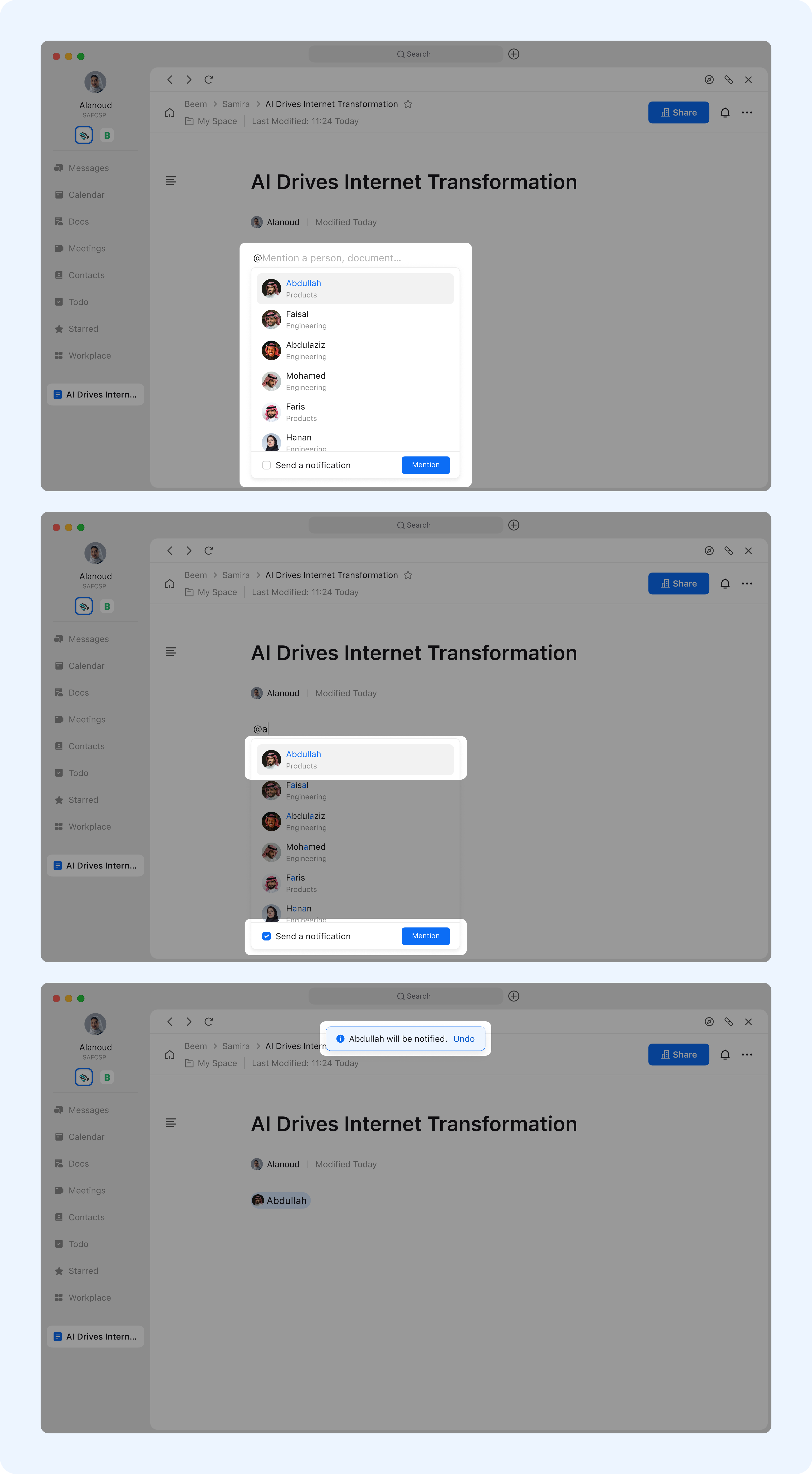
Open the document and type "@" in the main body or comments section. This will display recently mentioned users; if none exist, it will show yourself.
You may enter keywords to search for the desired user.
To send a notification, tick "Send a notification", then click the person or click "Mention". If no notification is required, simply click the person or click "Mention".
If the person lacks document permissions, mentioning them will automatically grant "view access".