English
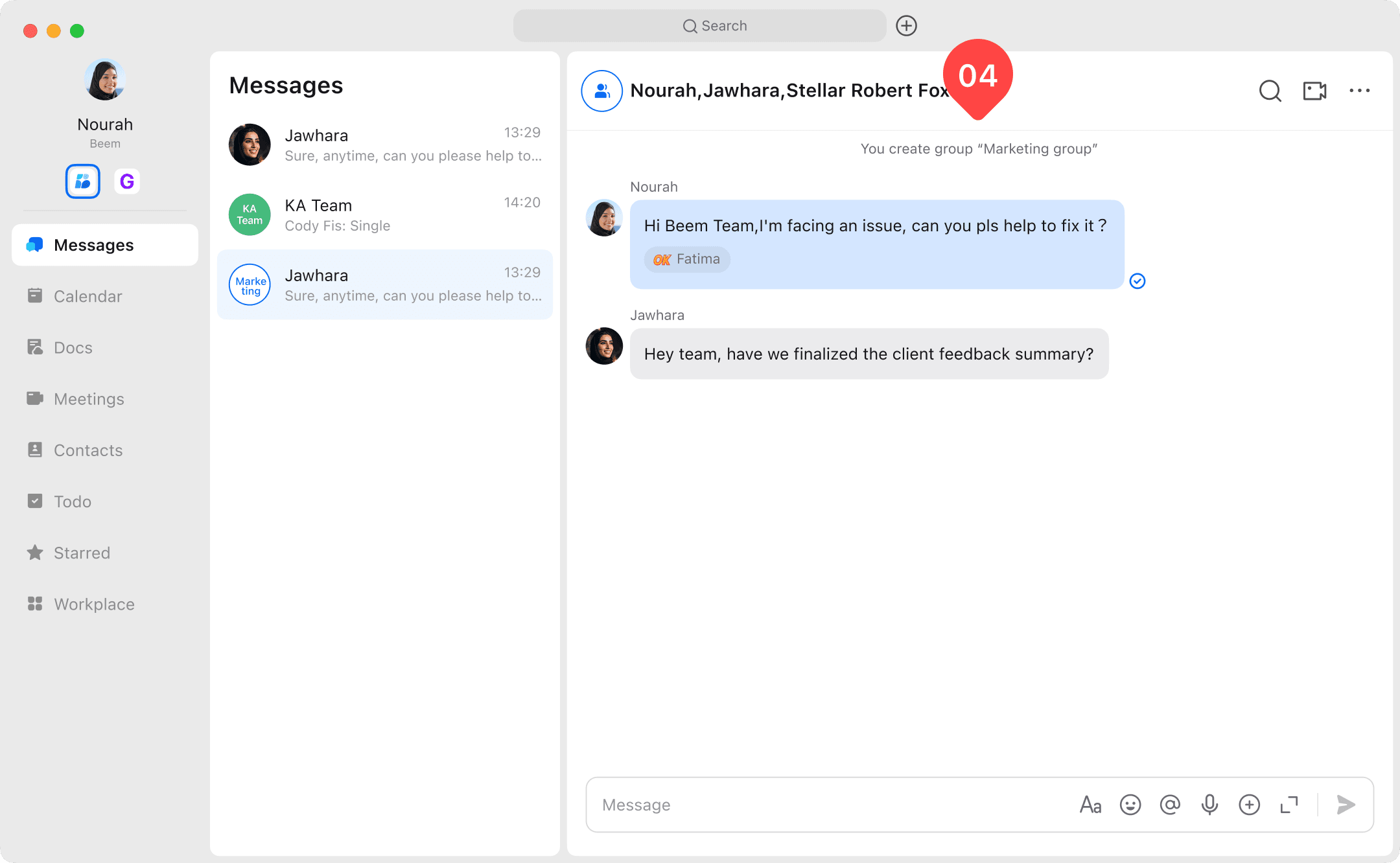
Bring multiple people together in a single conversation by creating a group chat. This feature allows you to collaborate efficiently, share messages, files, and updates with all members at once. Follow the steps below to set up your group chat and start communicating effectively.

Create a Multi-Member Group
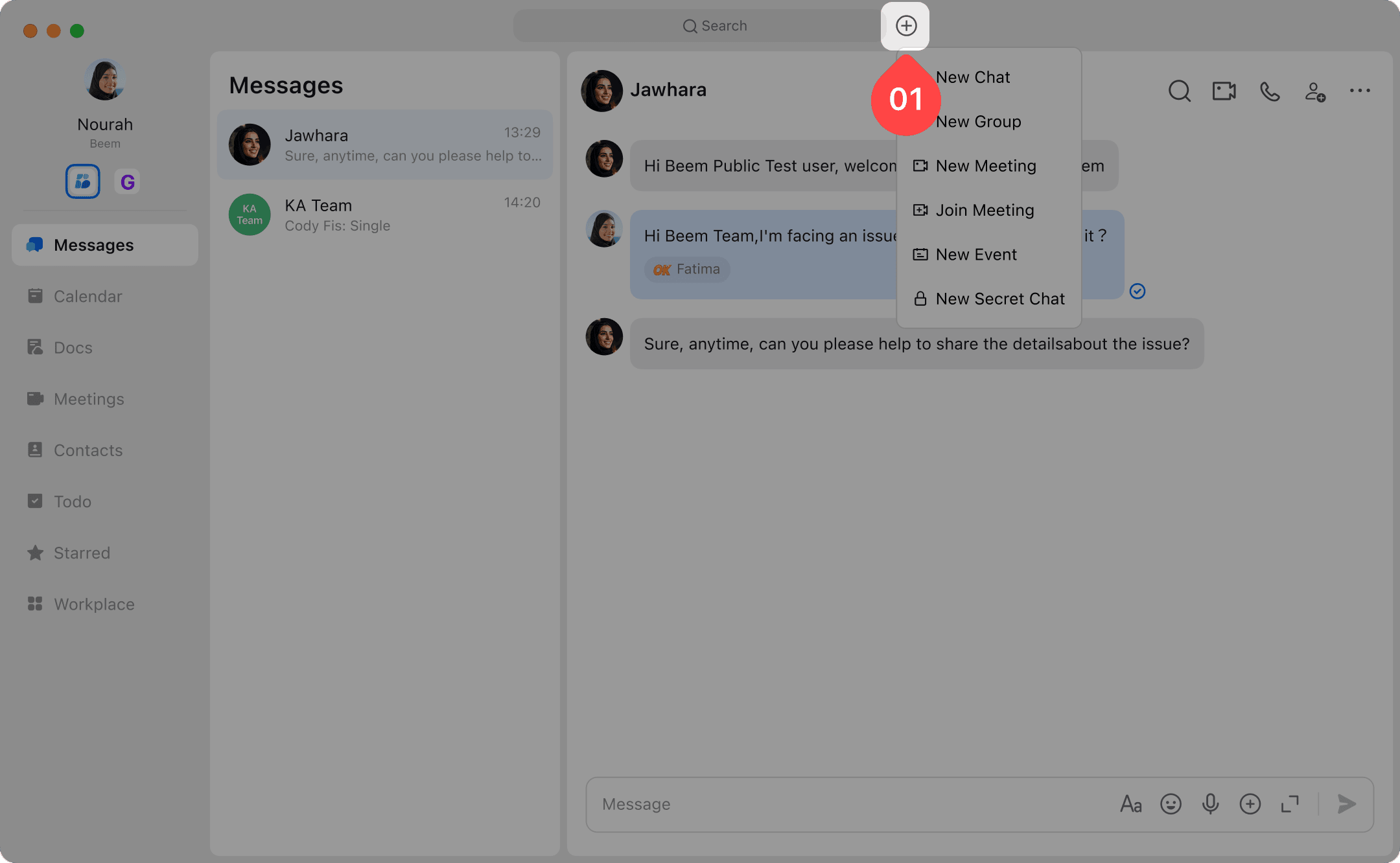
- From the Home screen, click "+" icon.
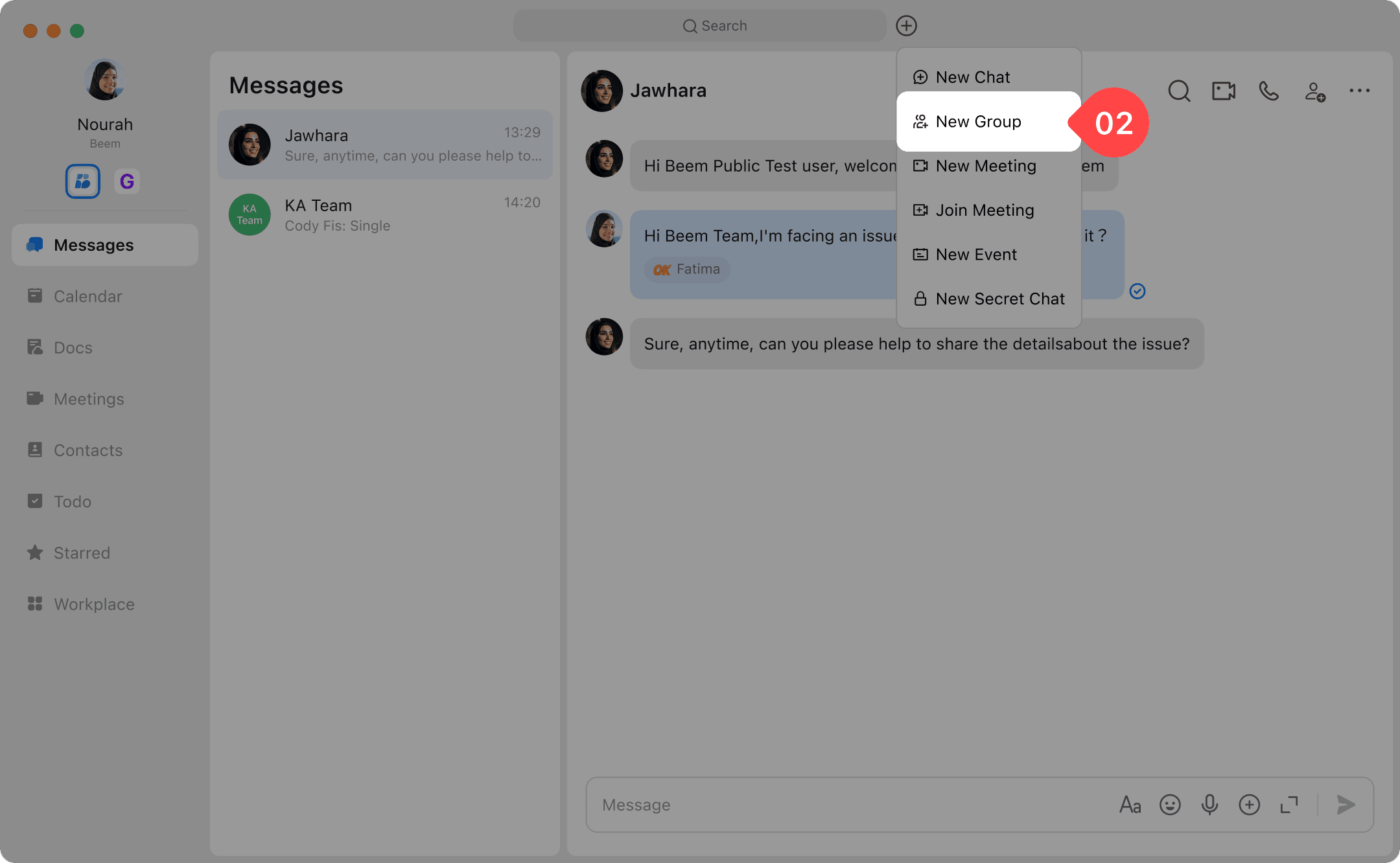
- Select New Group from the menu.
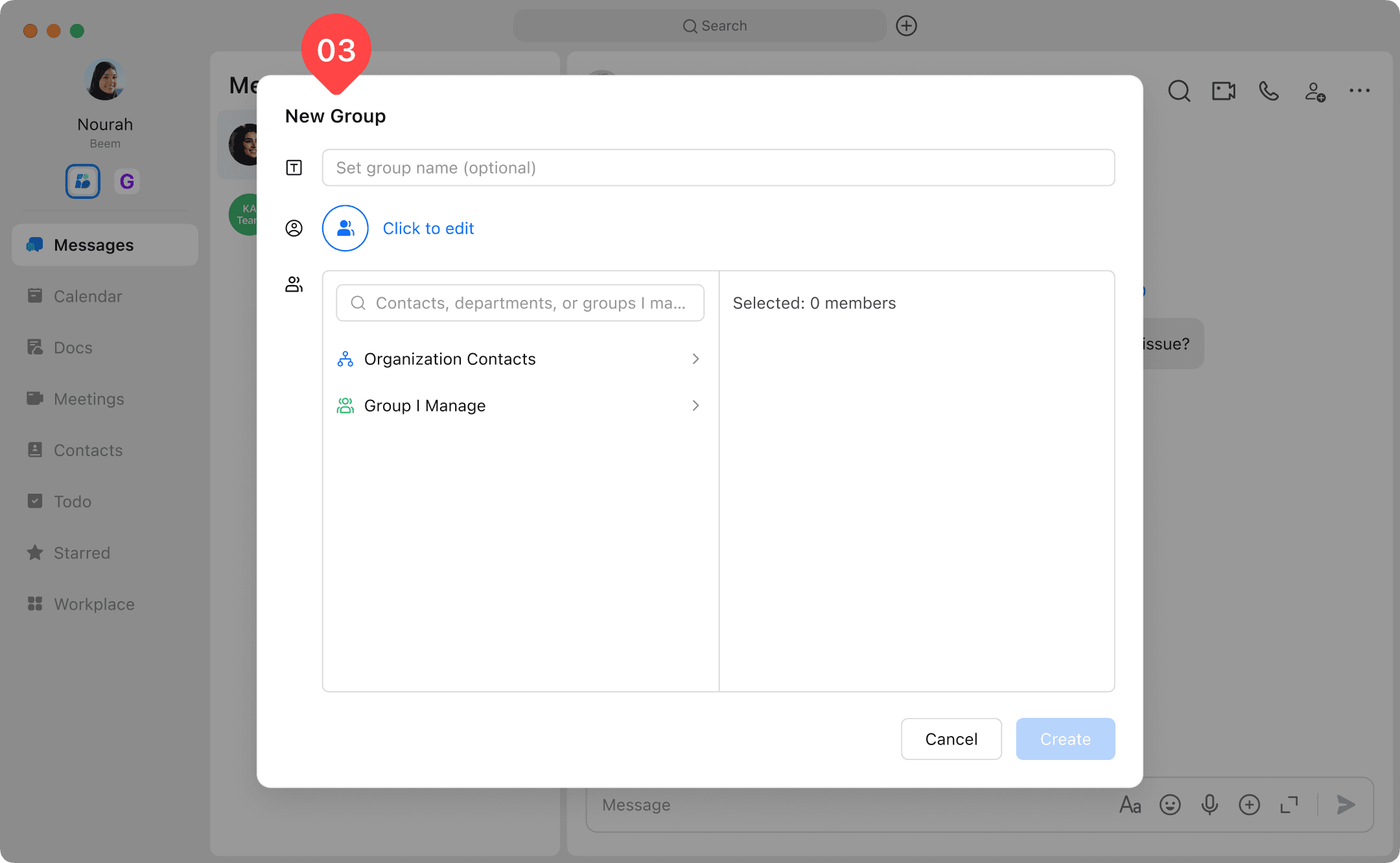
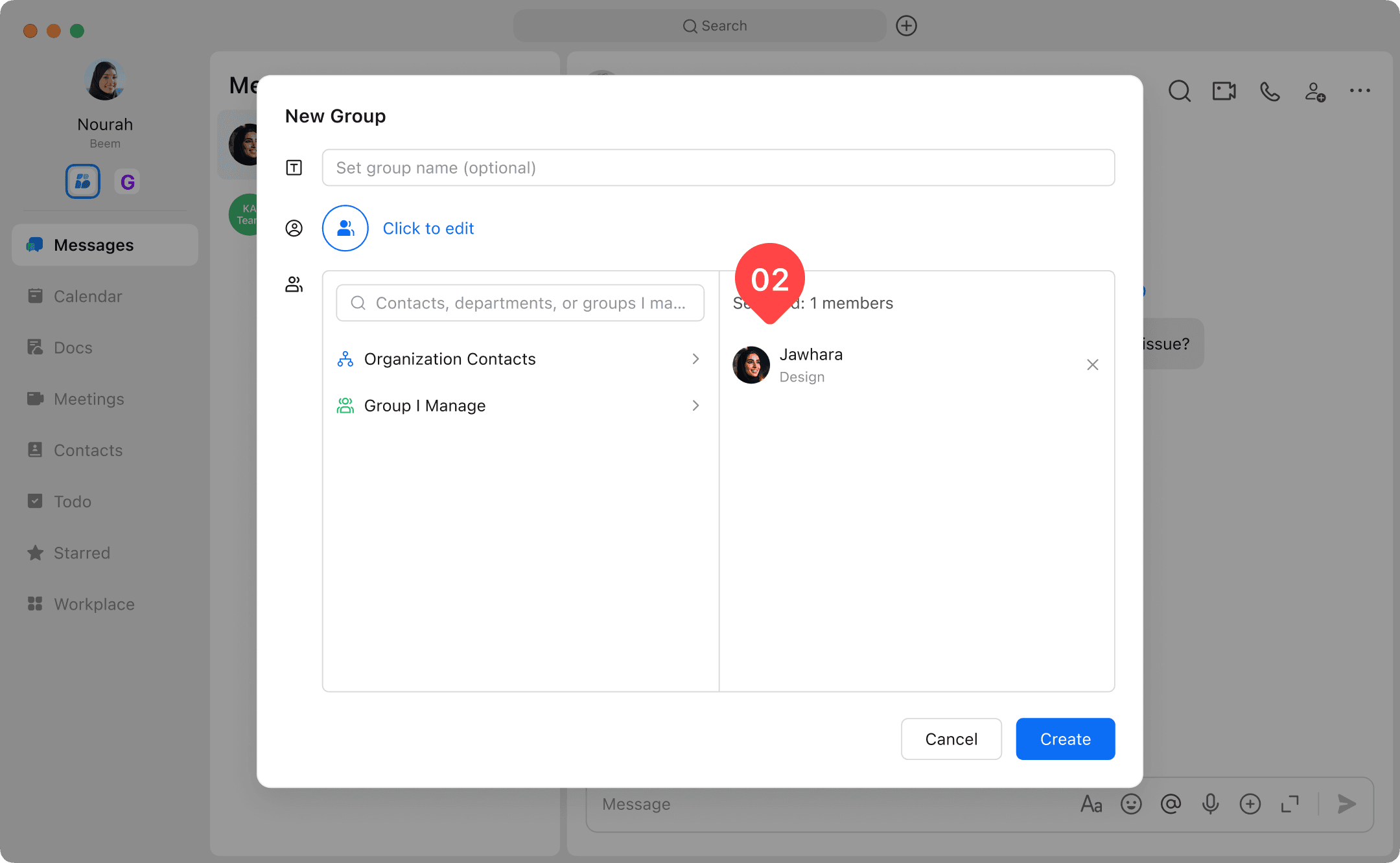
- Enter the group details, including Group Name and add Members you want to include.
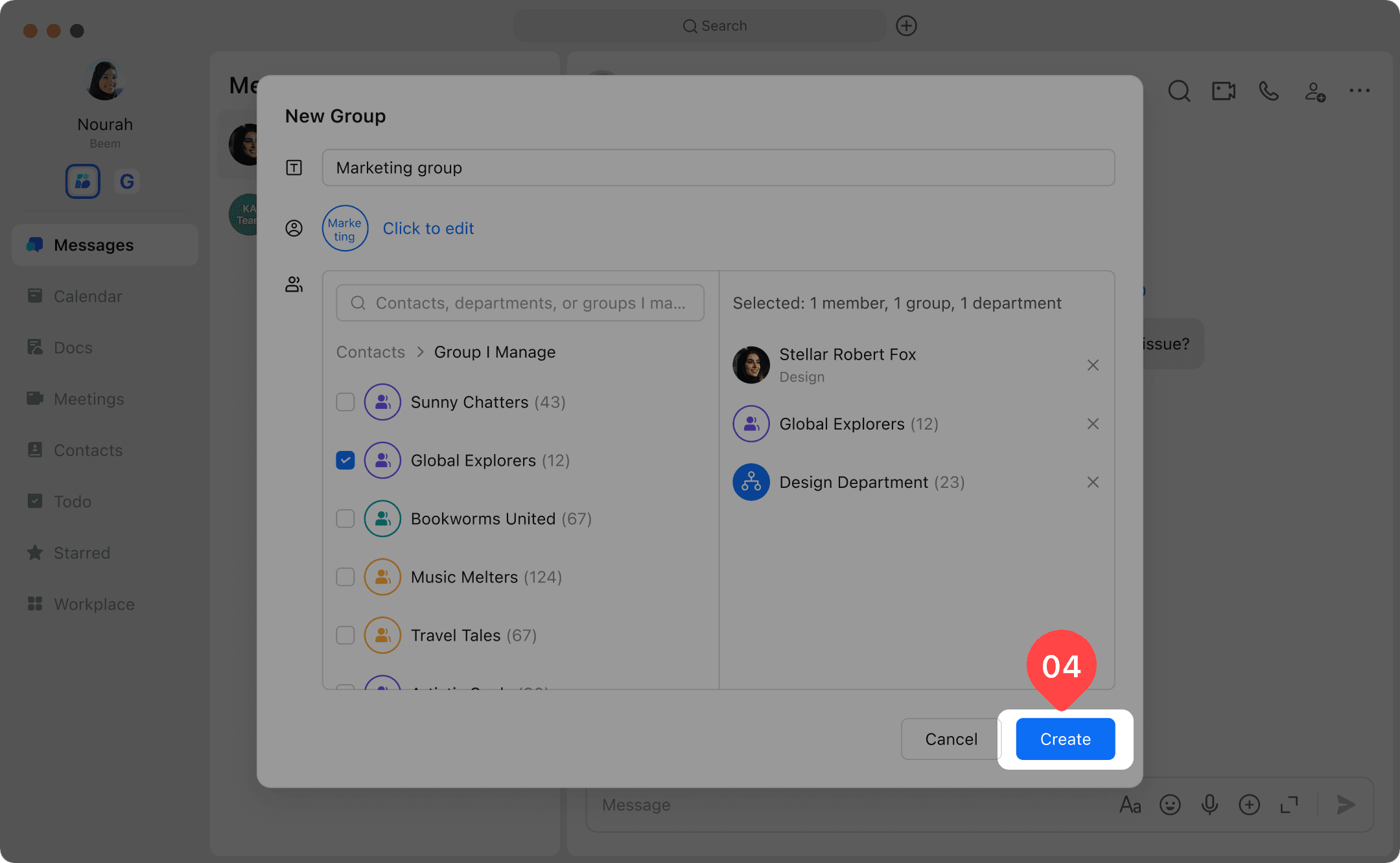
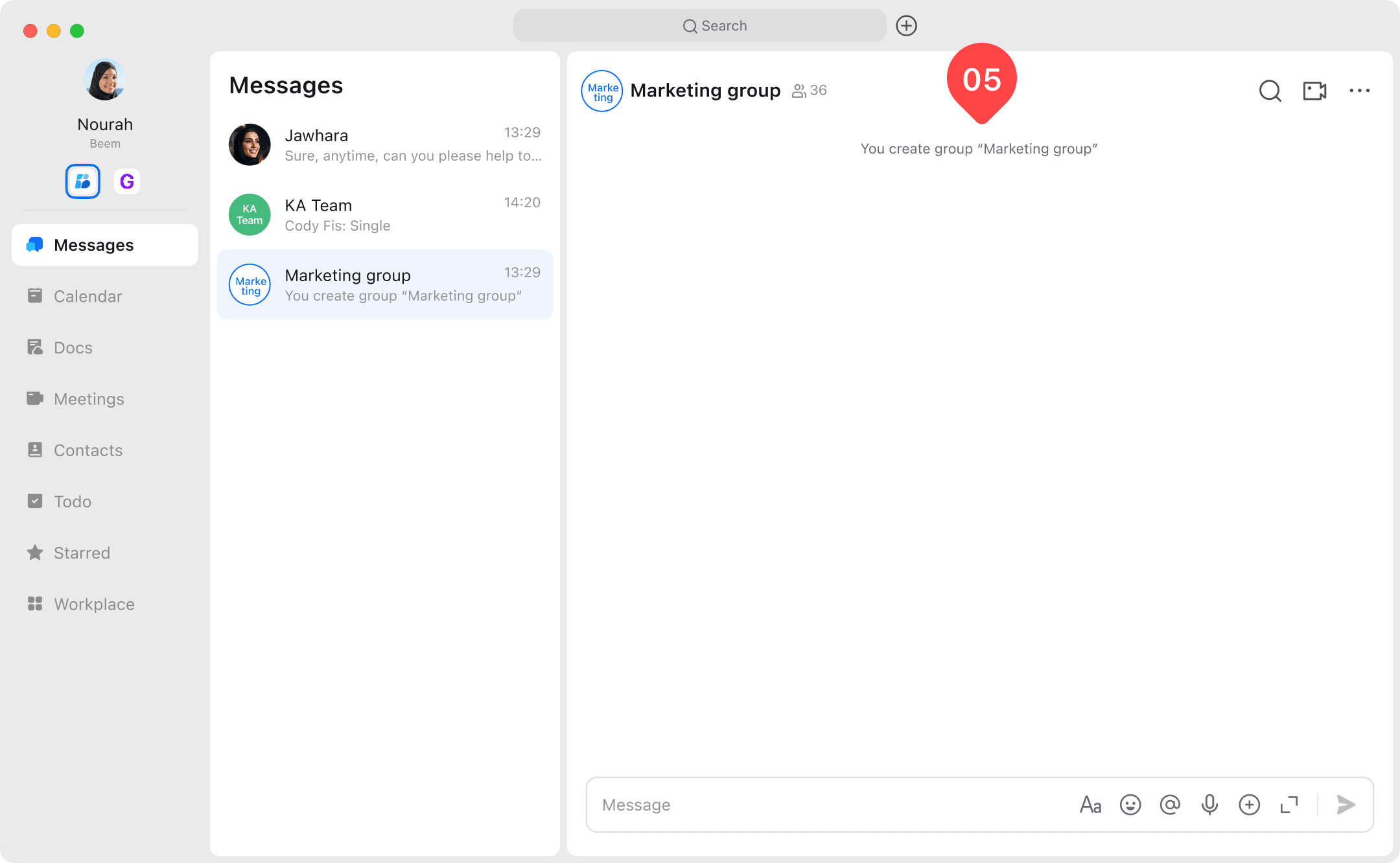
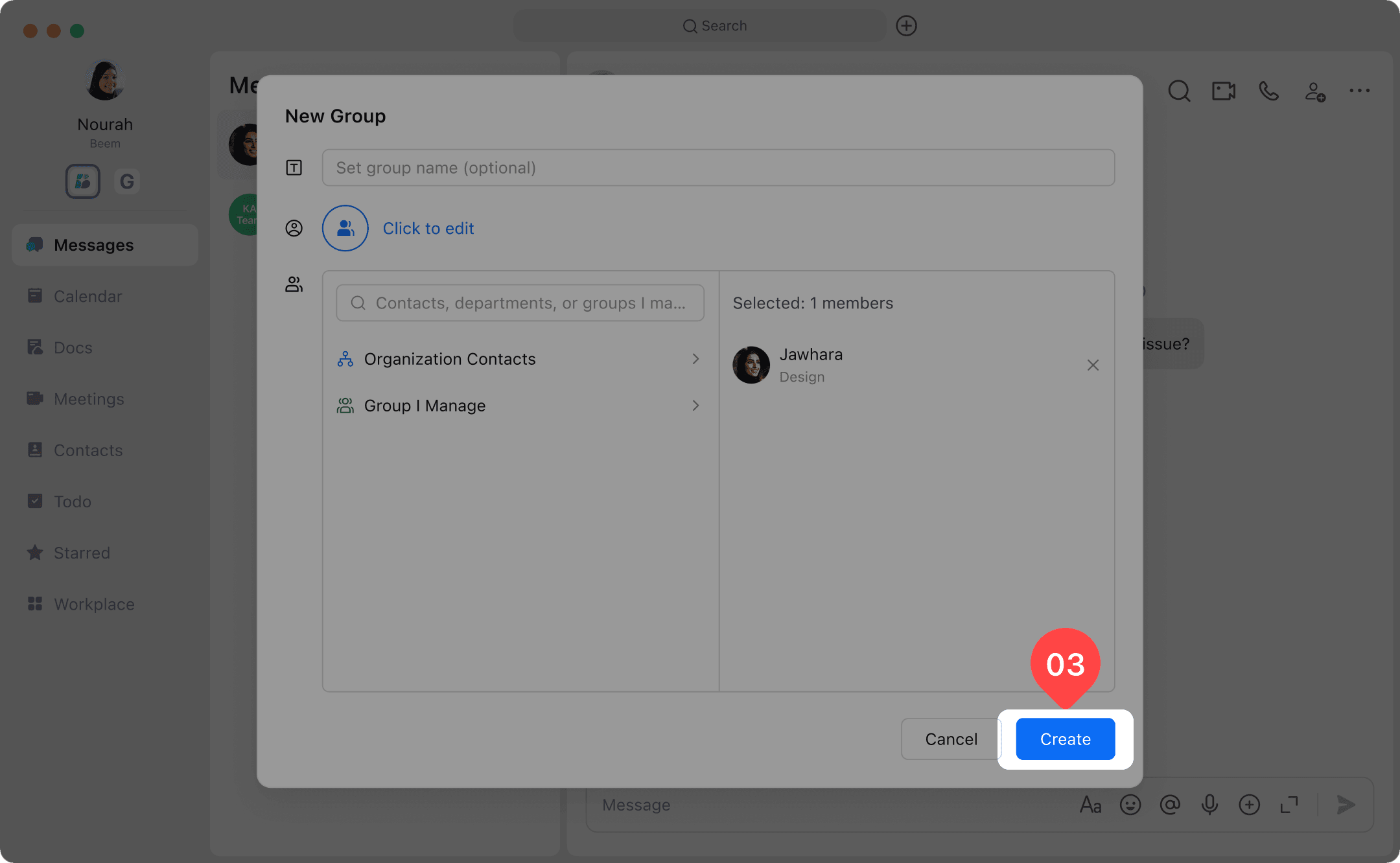
- Once setup is complete, click Create to enter the group chat and start collaborating.


Create a Group Chat Directly from a Conversation
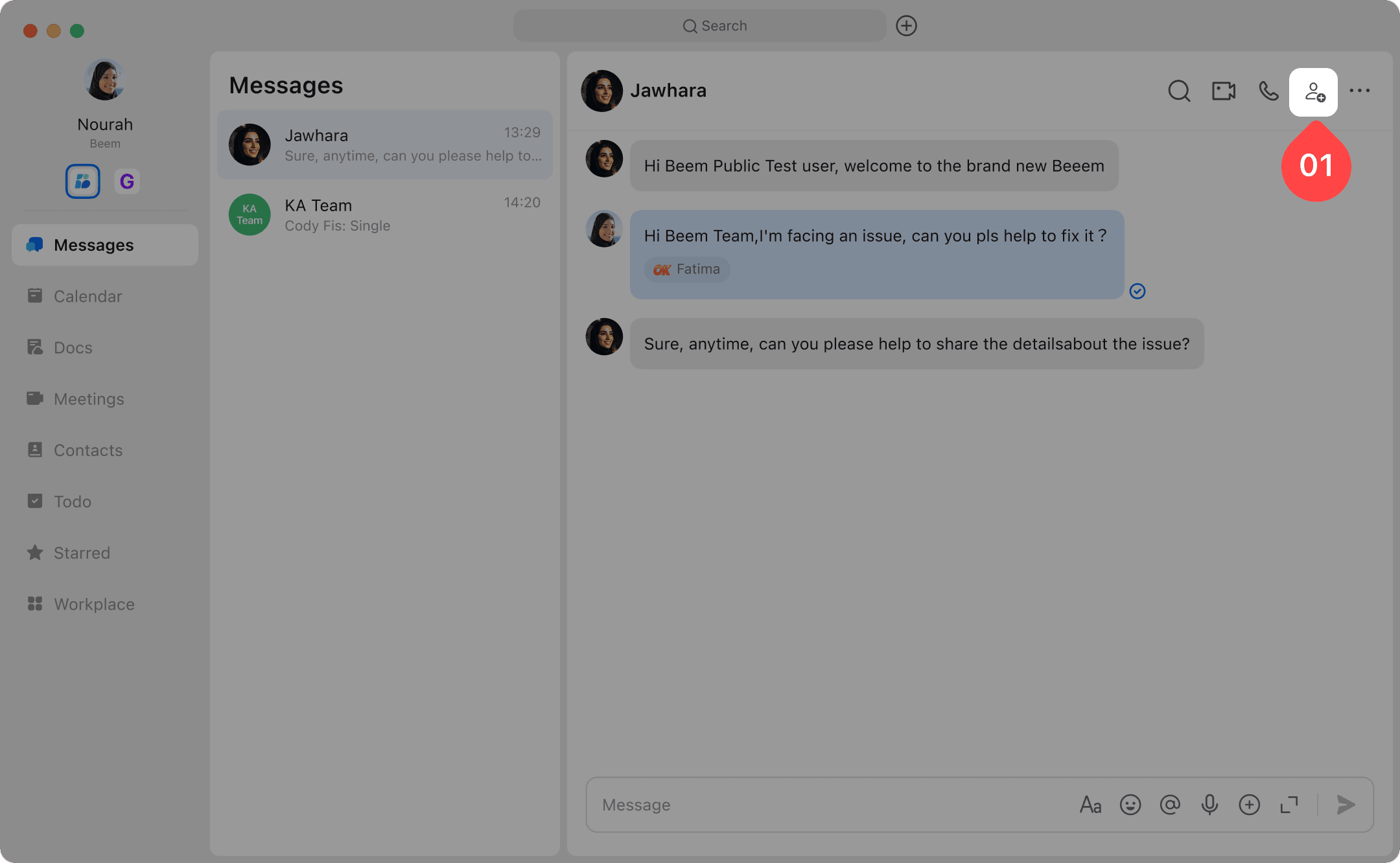
- Open the existing conversation you want to create a group from.
- Select Create Group with "User" from the top bar and add Members you want to include.
- Once setup is complete, click Create to enter the group chat and start collaborating.