access_timeEstimated reading time for this article: 2 minutes
Make your messages more engaging and easier to read by using Rich Text formatting. You can bold important points, italicize key ideas, create lists, and even add links to organize your content effectively. Rich text helps you communicate clearly, highlight essential information, and make your messages stand out.
Tap or click on the message input area to start typing.
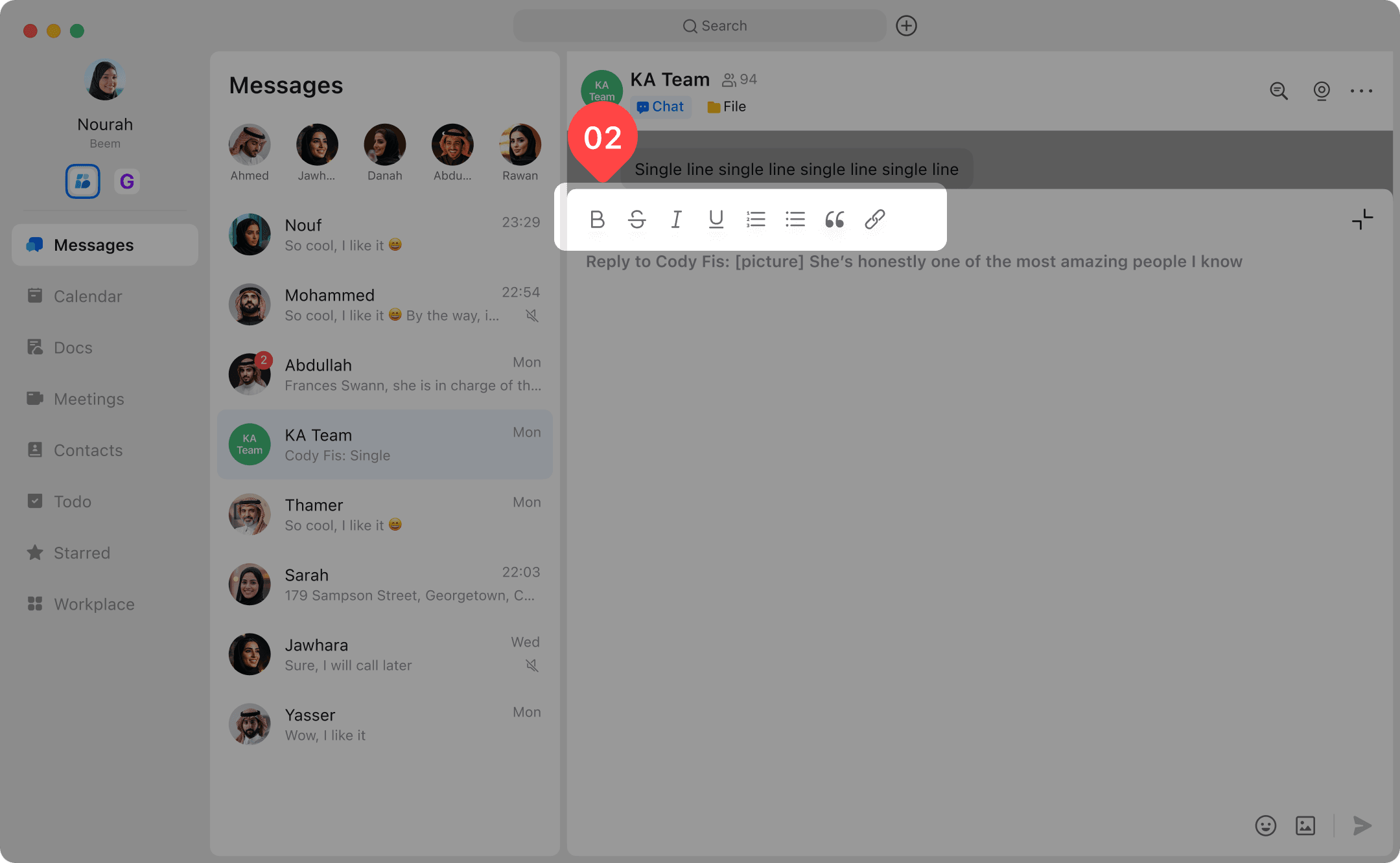
Select the Aa icon or expand the input area to access rich text options.
Apply formatting such as Bold, Italic, or underline to emphasize your text.
Create lists, add links, or insert other formatting features as needed.
Once done, send the message and your formatting will be applied.