access_timeEstimated reading time for this article: 5 minutes
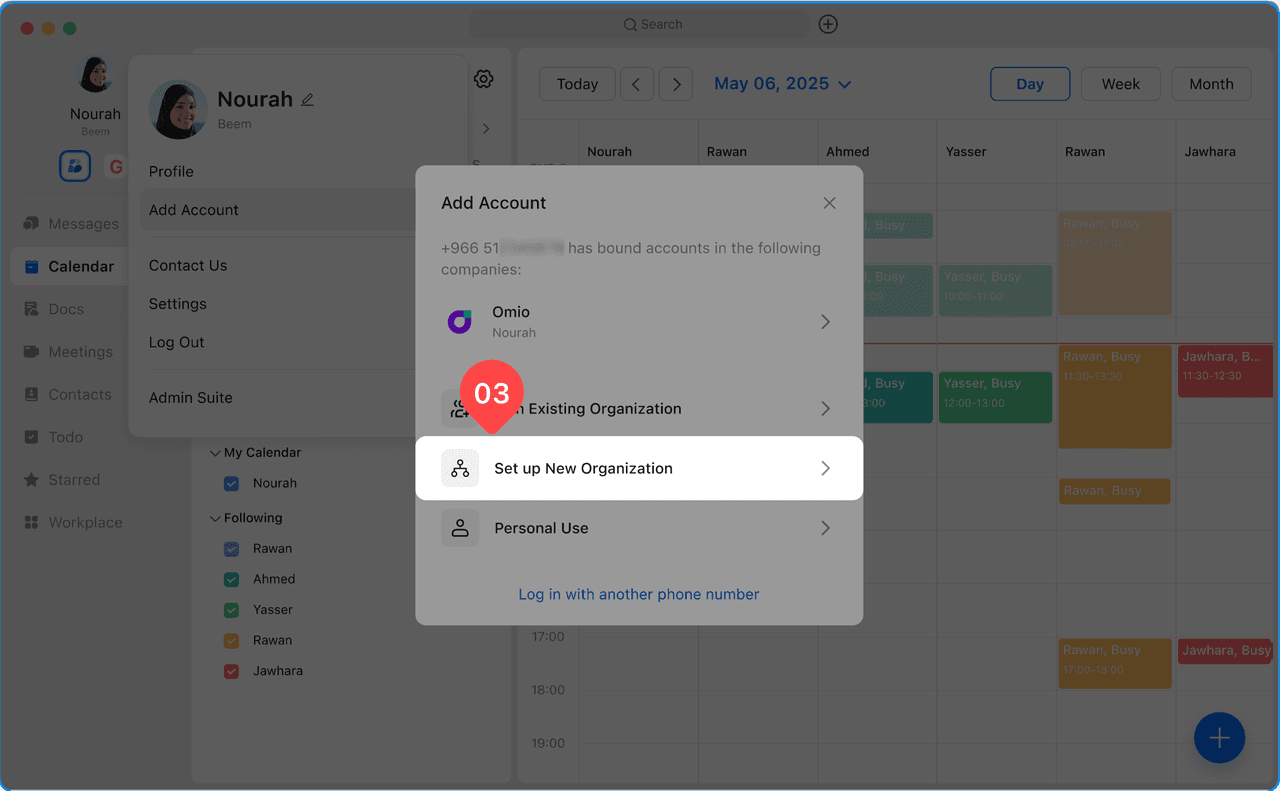
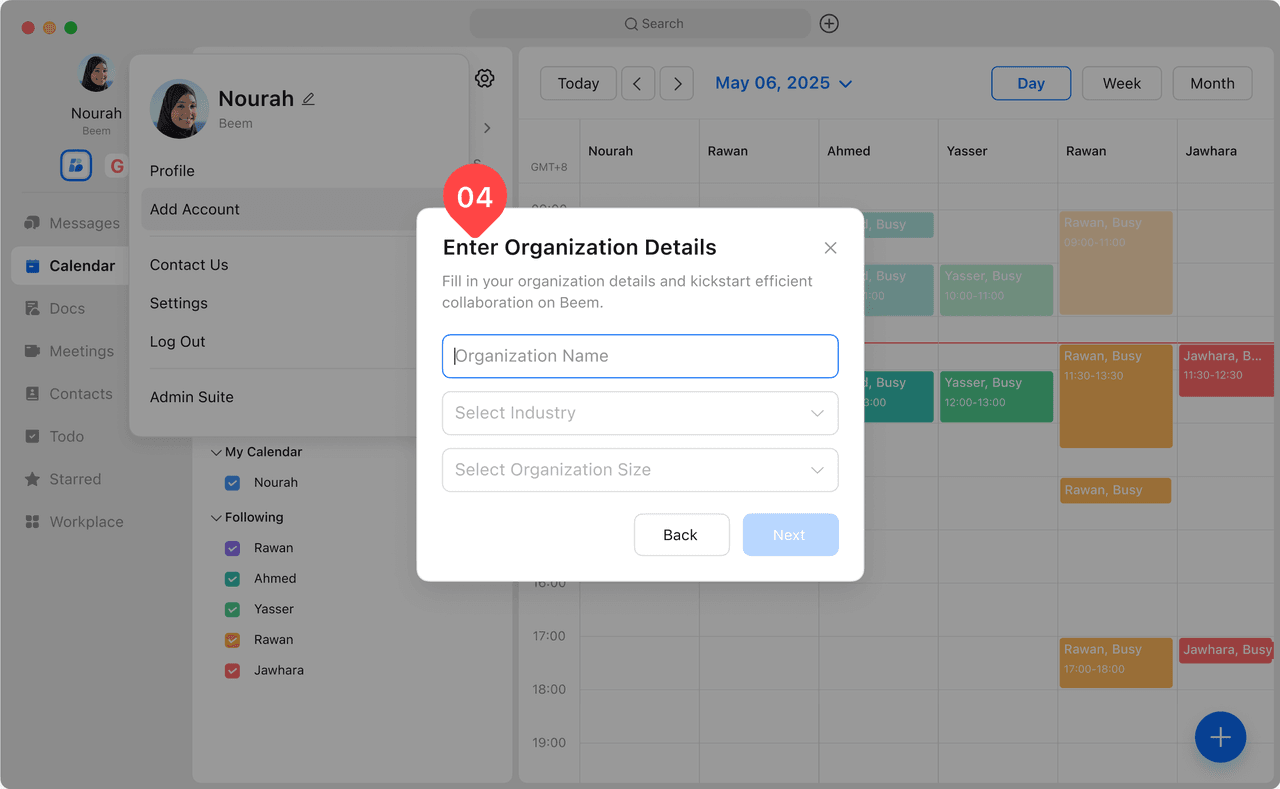
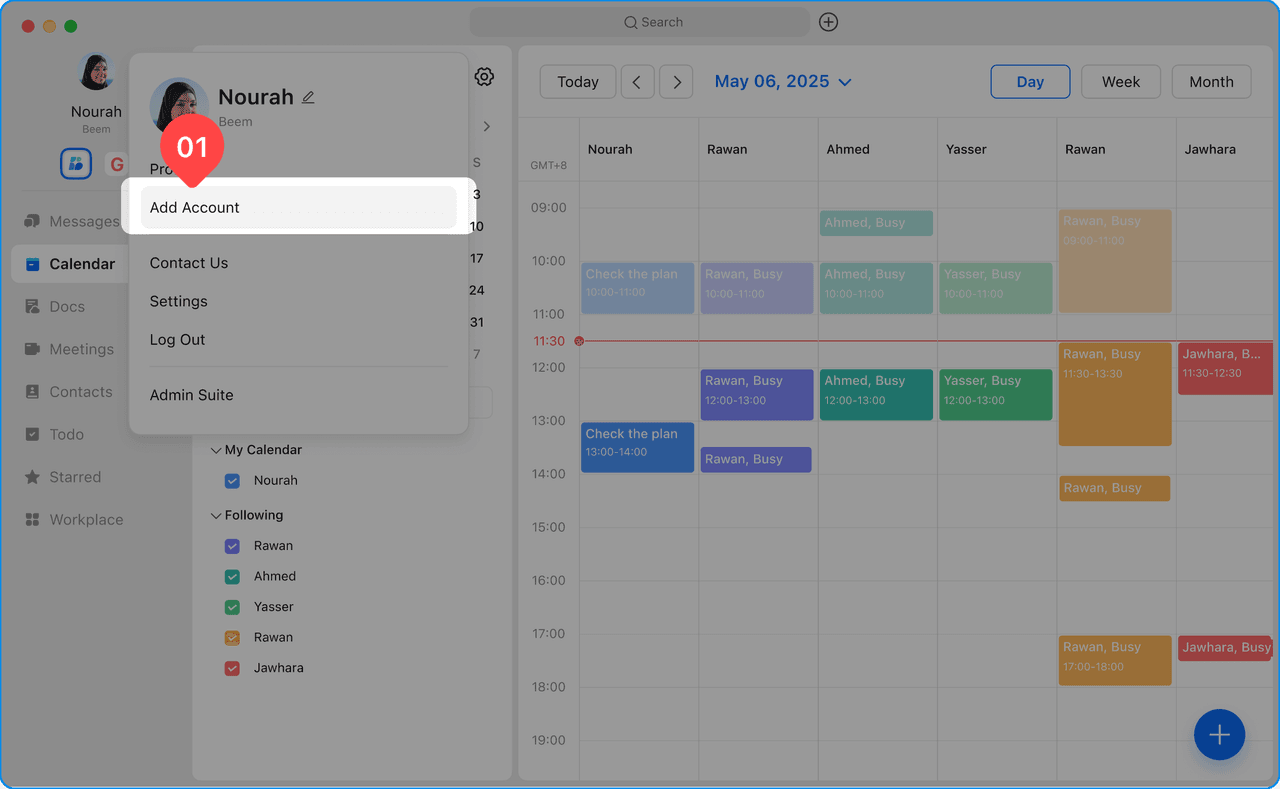
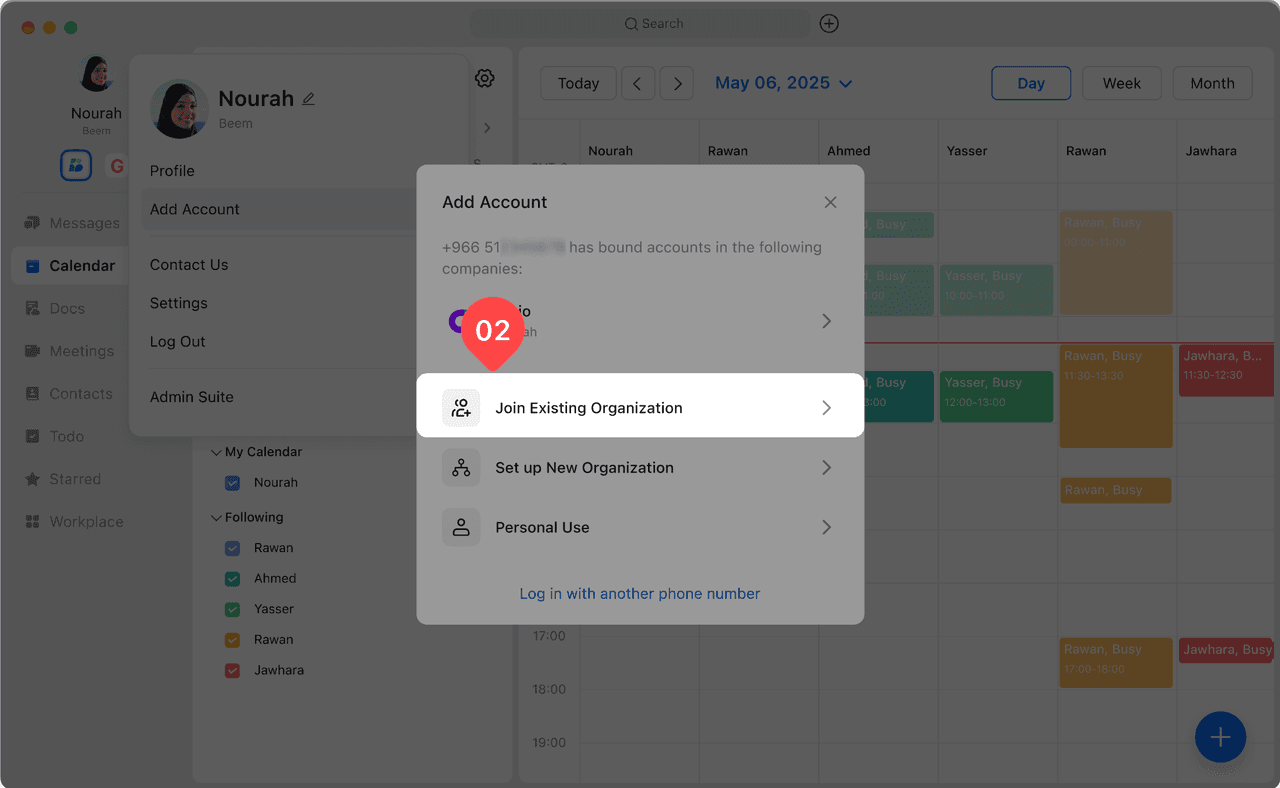
Creating an organization account in Beem allows you to set up a dedicated workspace for your organization, manage users, and access administrative tools designed to support collaboration and productivity. Follow the steps below to create an organization account and start managing your organization effectively.
Once the organization account is created, you will be automatically logged in as the organization administrator. You can start inviting members, managing permissions, and configuring organization settings.
You can access advanced management features by tapping your profile picture and selecting Admin Suite.
Beem makes it easy to join an existing organization and start collaborating with your team in just a few steps. By adding an organization account, you can access organizational chats, files, meetings, and tools according to the permissions granted to you.
Open the account menu by tapping your profile picture.
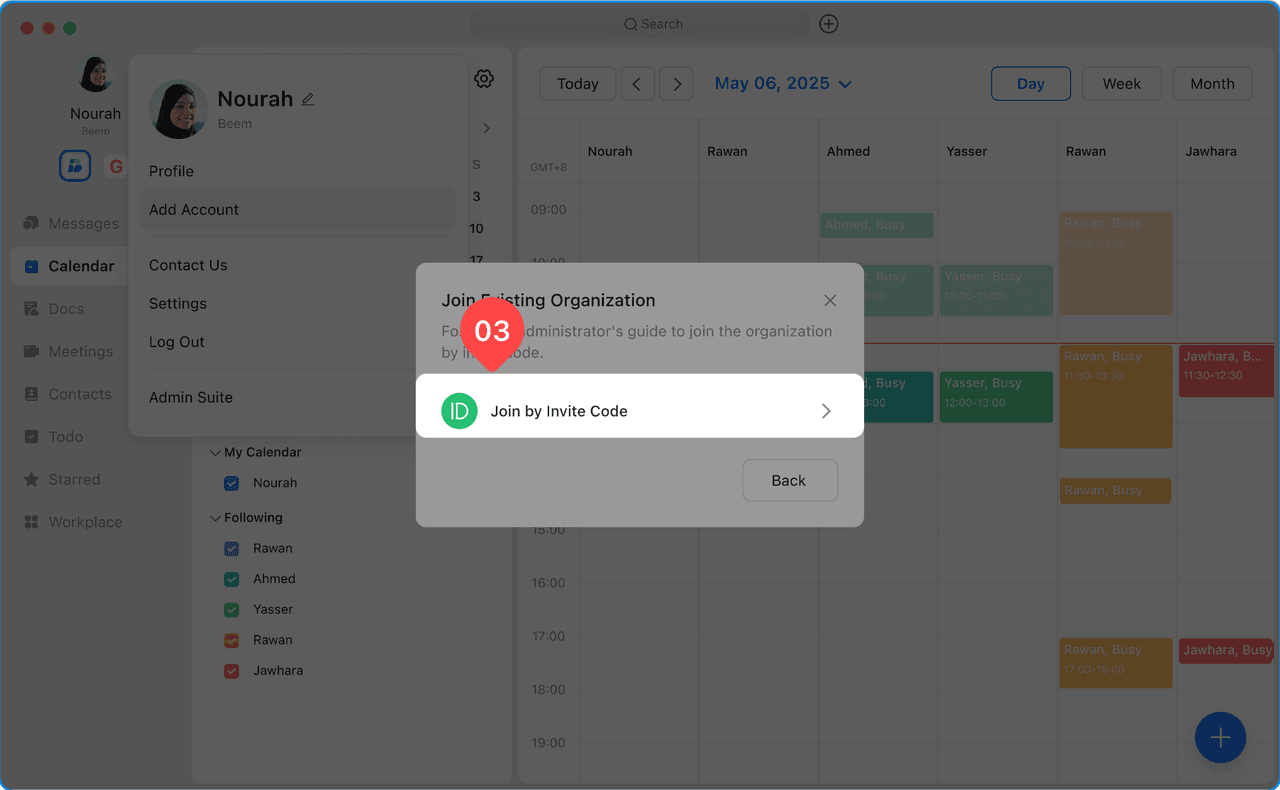
Select Add Account, then choose Join Existing Organization.
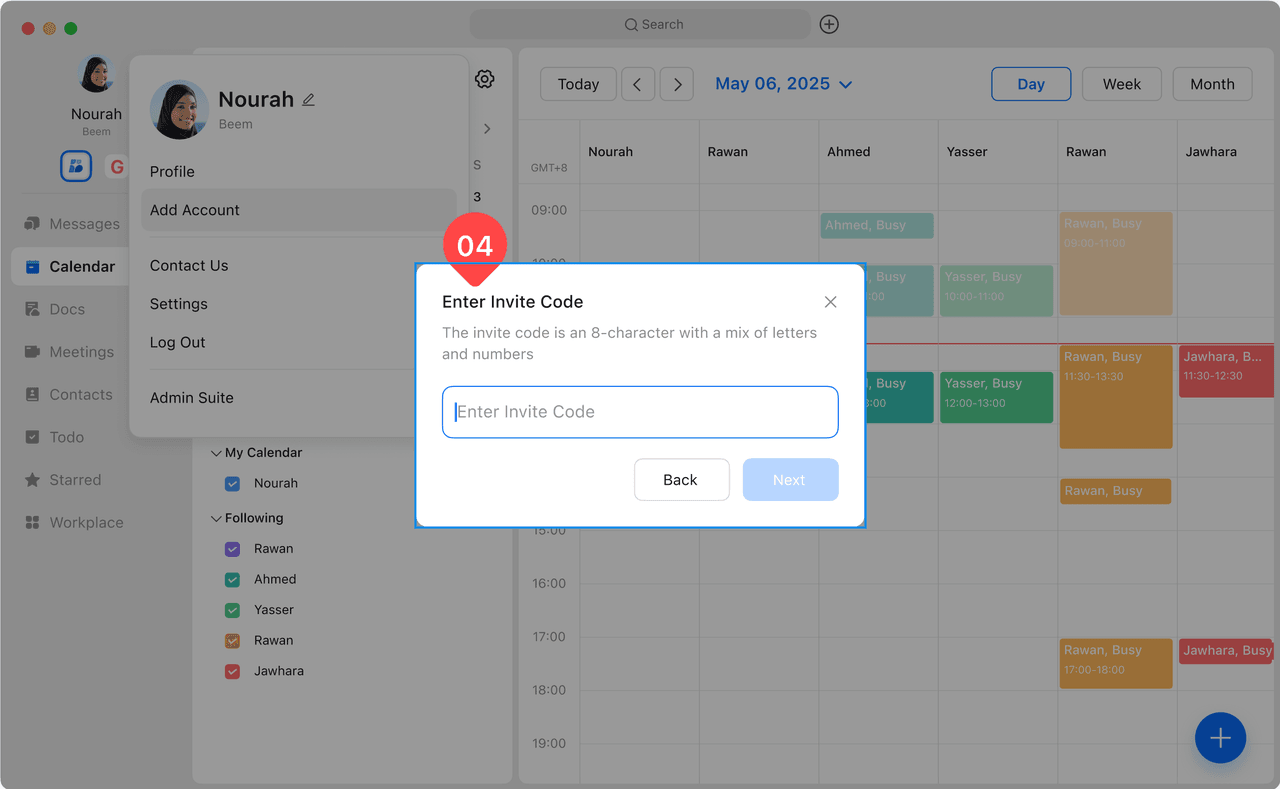
Enter the invite code provided by the organization’s administrator.
Follow the on-screen instructions to complete the joining process.