access_timeEstimated reading time for this article: 3 minutes
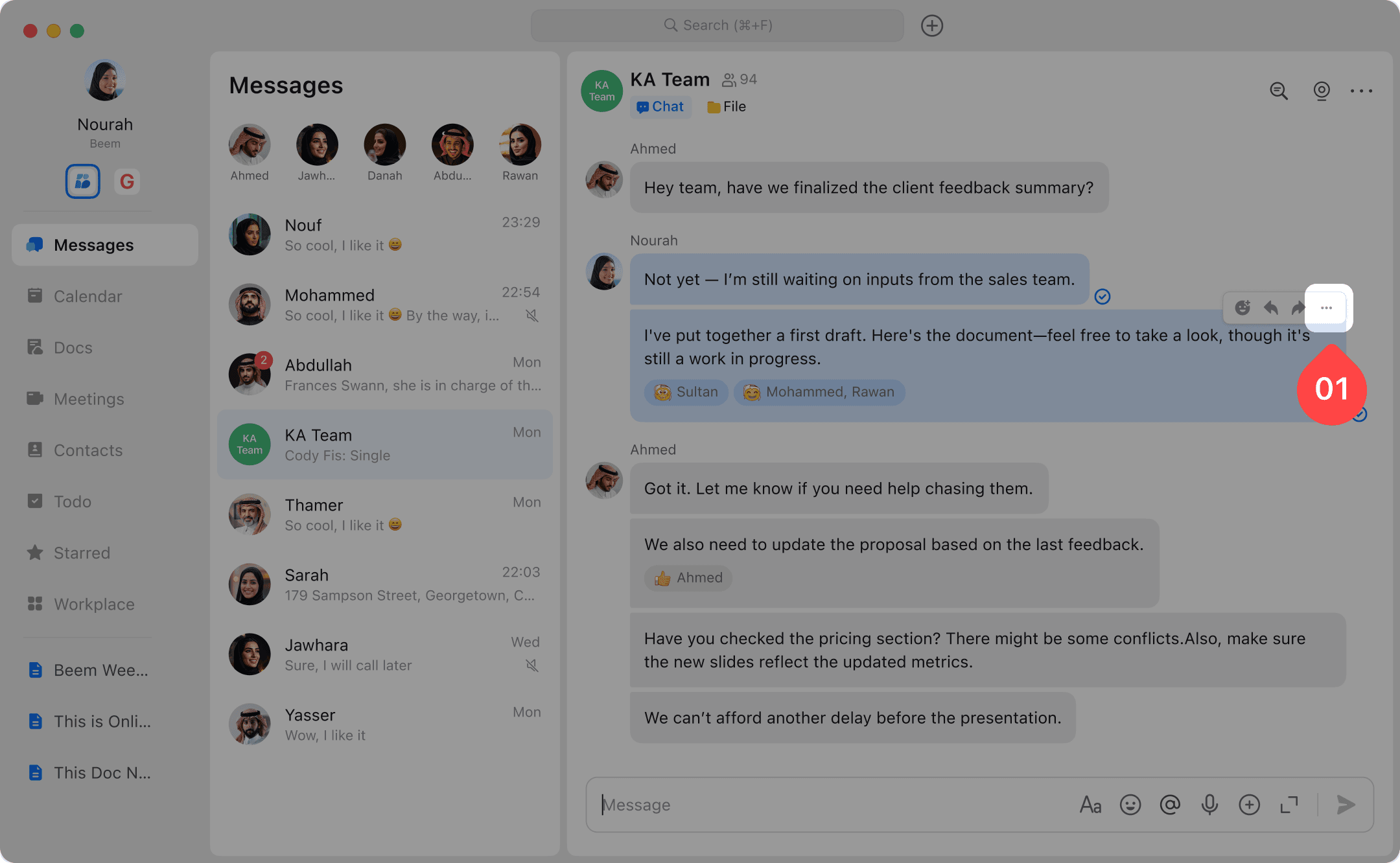
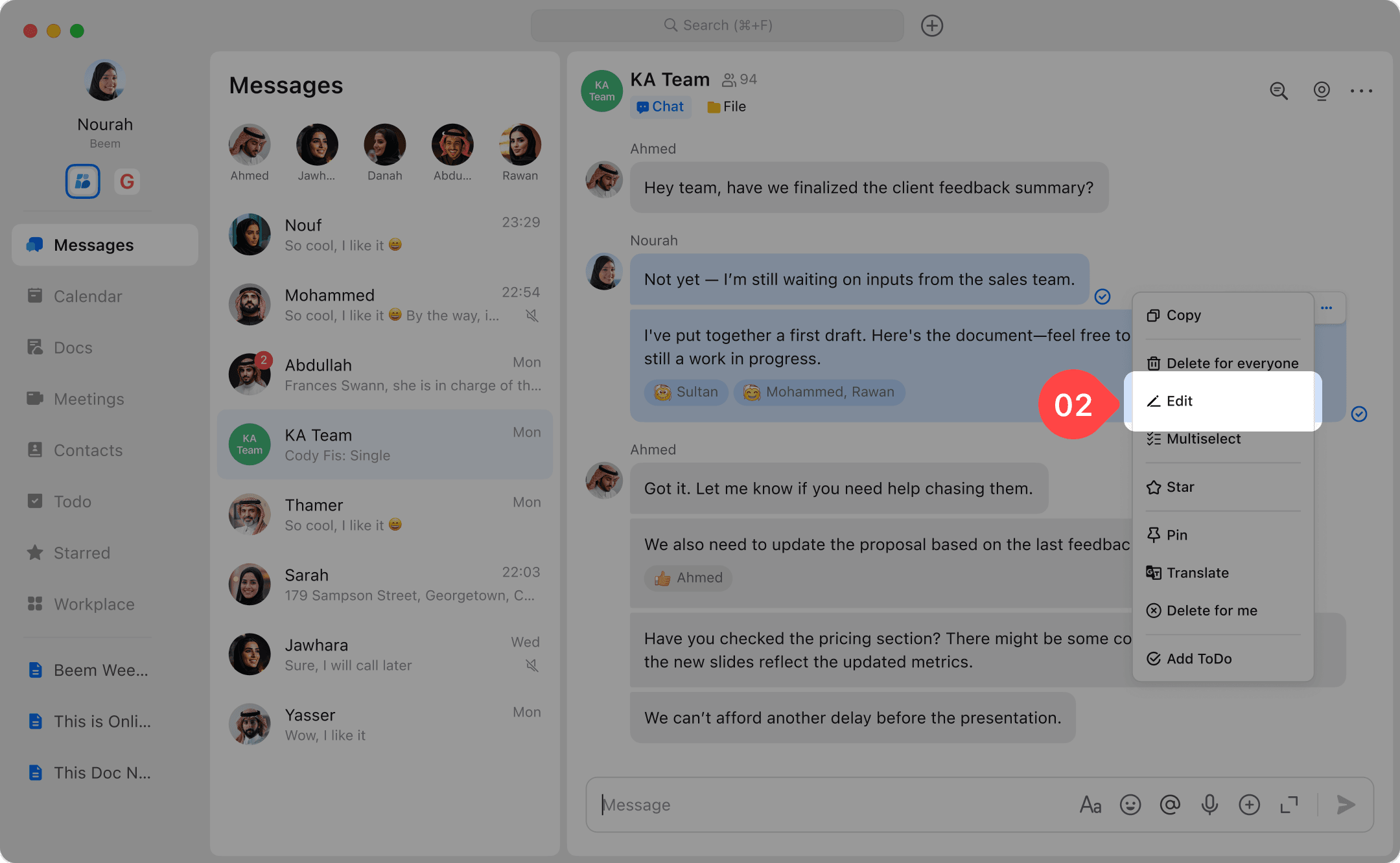
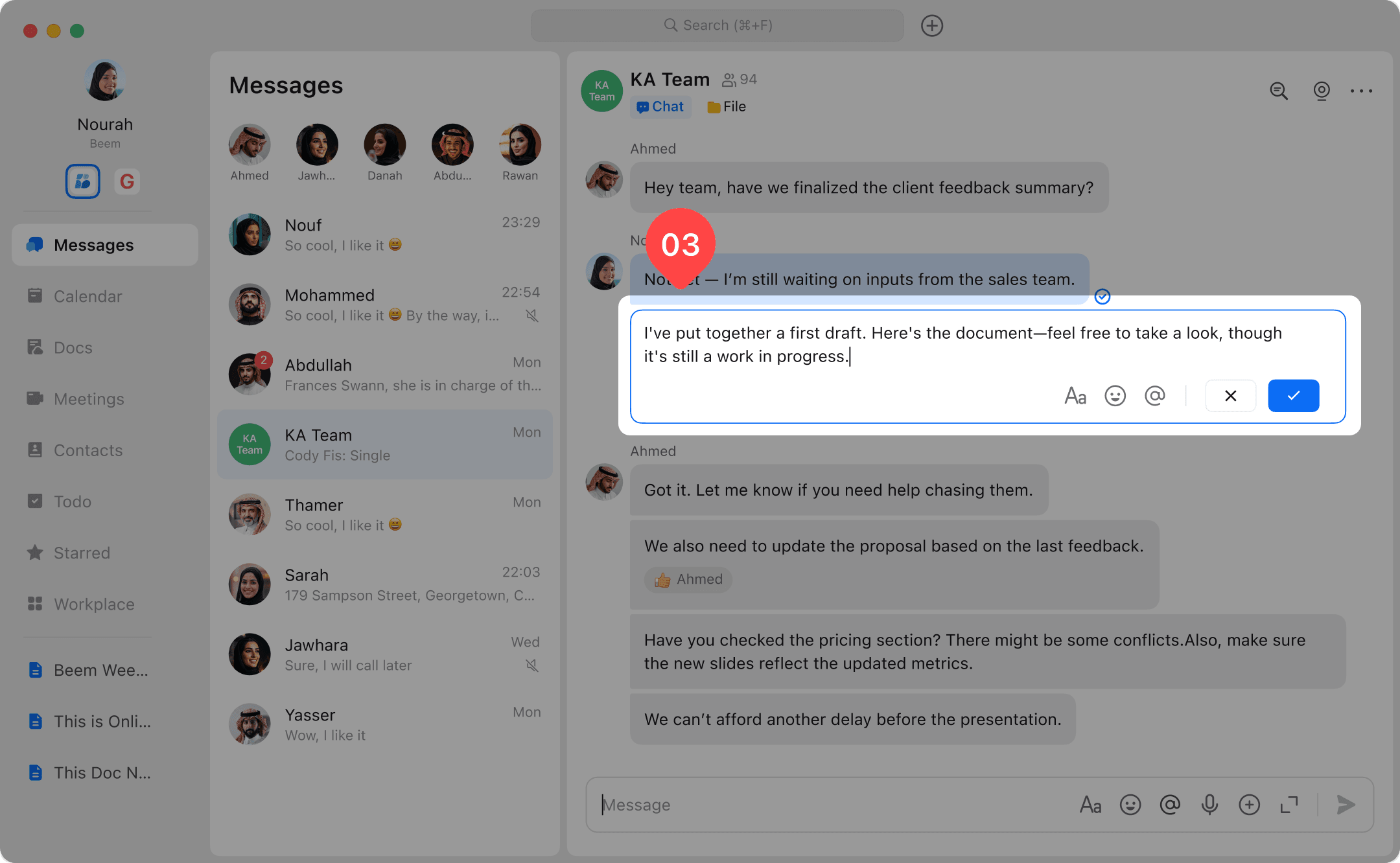
Quickly correct mistakes or update the content of your messages after sending them using the Edit feature. Editing a message helps ensure your communication is clear and accurate, whether you want to fix a typo, add more information, or adjust the wording. Follow the steps below to edit messages effortlessly.