Skip to content

Get Started with Your Organization as an Admin

Estimated reading time for this article: 5 minutes

This guide helps administrators set up their organization on Beem, from installation and login to organization creation and member management.

Download and install

Visit our official website and the official stores to download Beem.

Visit the official Beem website and download Beem. Download Beem

Log in to Beem

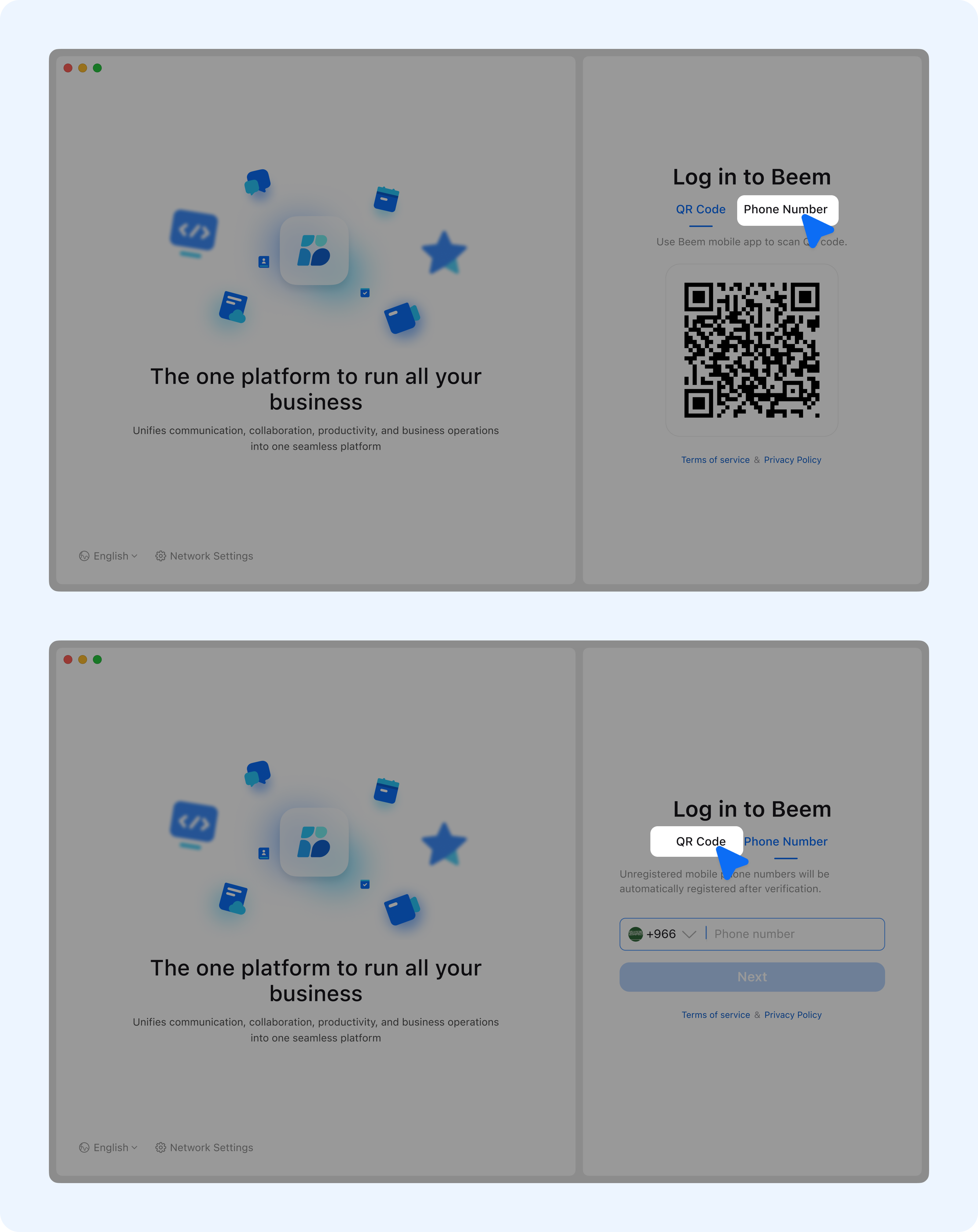
  1. After installing the app on your PC, log in using your mobile phone number and SMS OTP for quick and secure access.

undefined

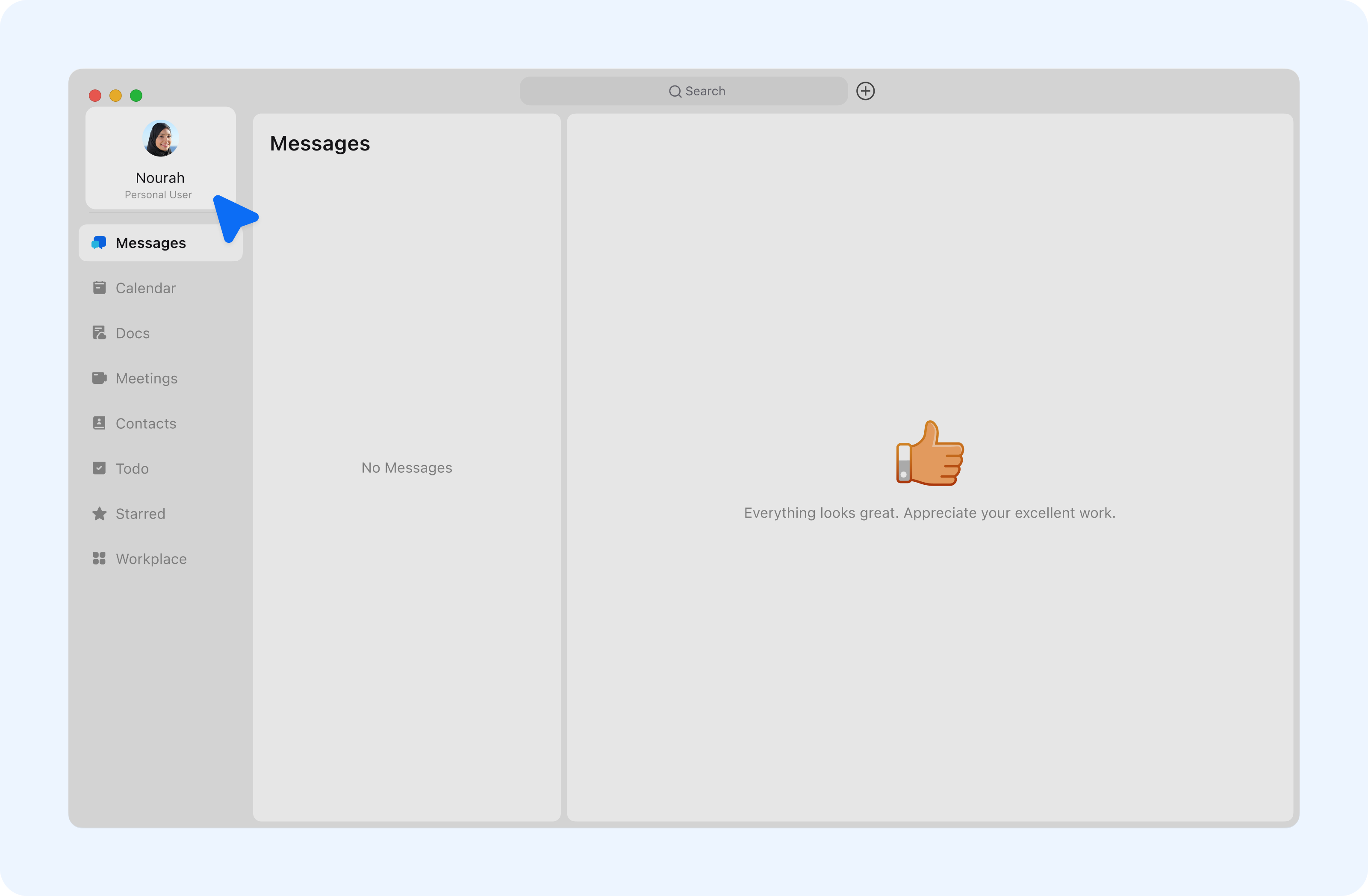
  1. Once logged in for the first time, Beem will automatically create a personal account for you. This personal account can later be linked to one or more organizations1.

undefined

Company Creation

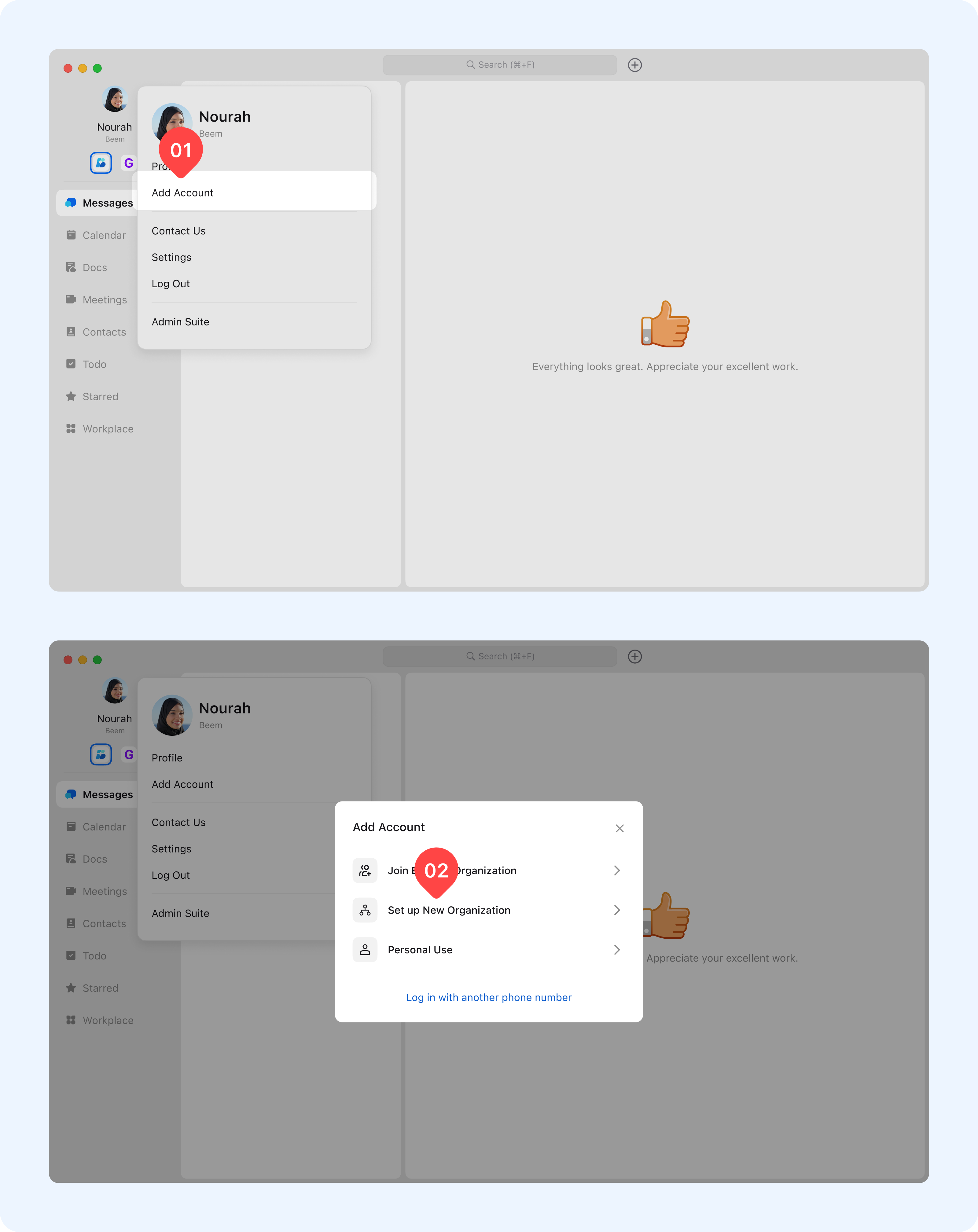
  1. To register a new organization, click on your profile photo, then select Add Account > Set Up New Organization.
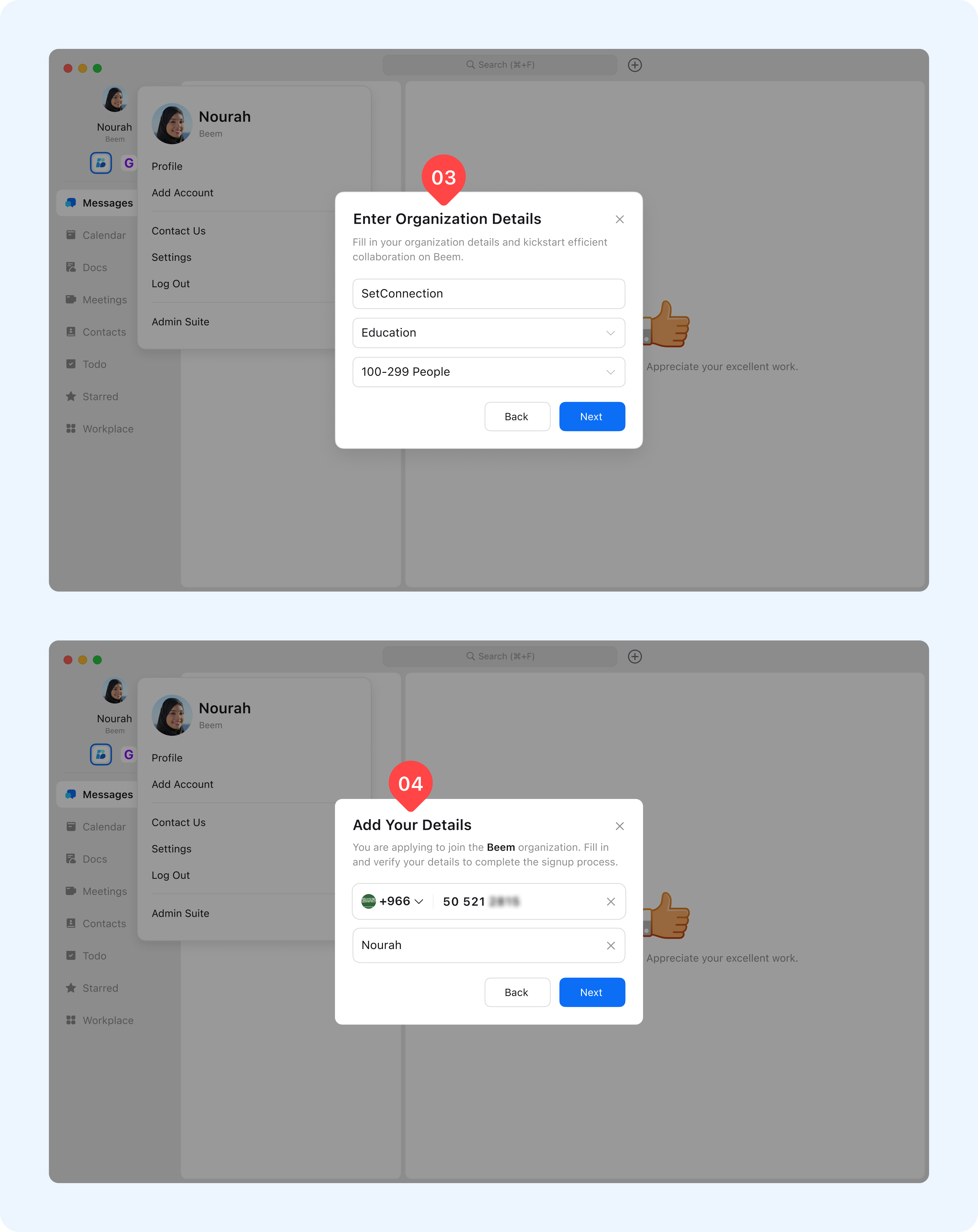
  2. Enter your organization’s required information carefully, including organization name and contact details, then verify the phone number to complete the registration.
  3. Once completed, your organization will be successfully created, and you will be granted administrator access to manage users and settings.

undefinedundefined

Add Members to the Organiztion

After creating the organization, you can begin inviting or adding members to join your workspace. Beem provides flexible methods to accommodate different organizational needs.

Method 1: Invite Members

You can invite members to join your organization through Beem App:

Steps:

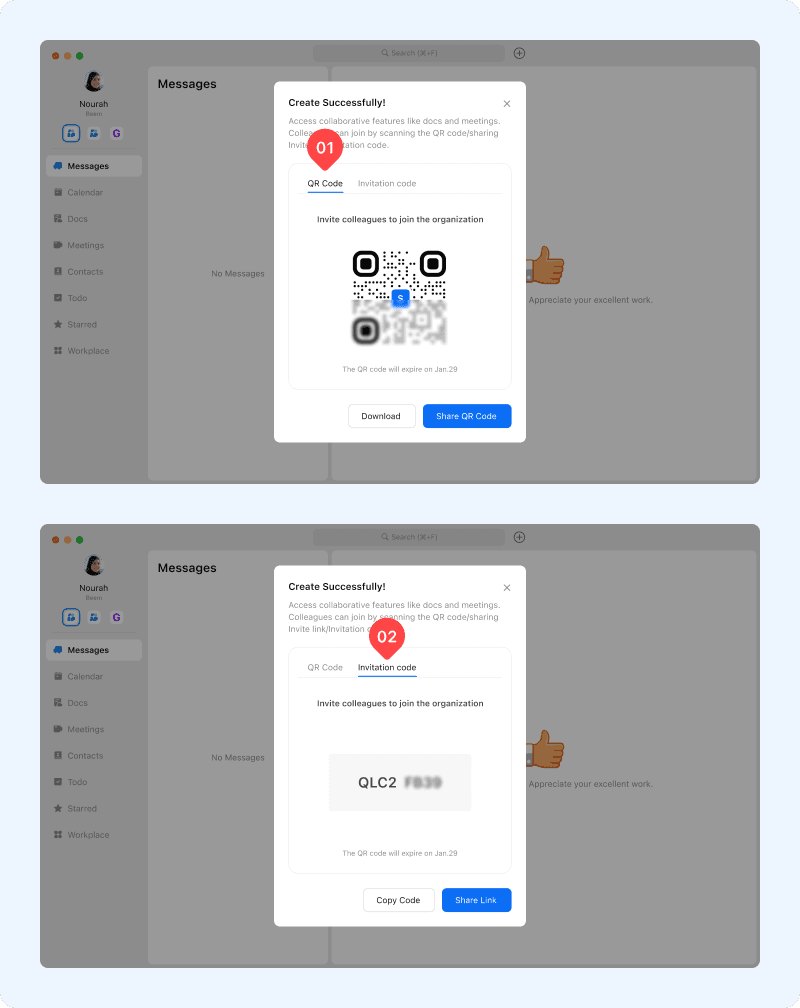
  1. Go to contacts and select Add Organization Member then use one of the following invitation methods:
    1. QR Code: Members can scan the QR code using the Beem mobile app to request access.
    2. Invitation Code: Members can enter the invitation code using Beem on desktop or mobile.

undefined

Method 2: Add Members Through Admin Suite

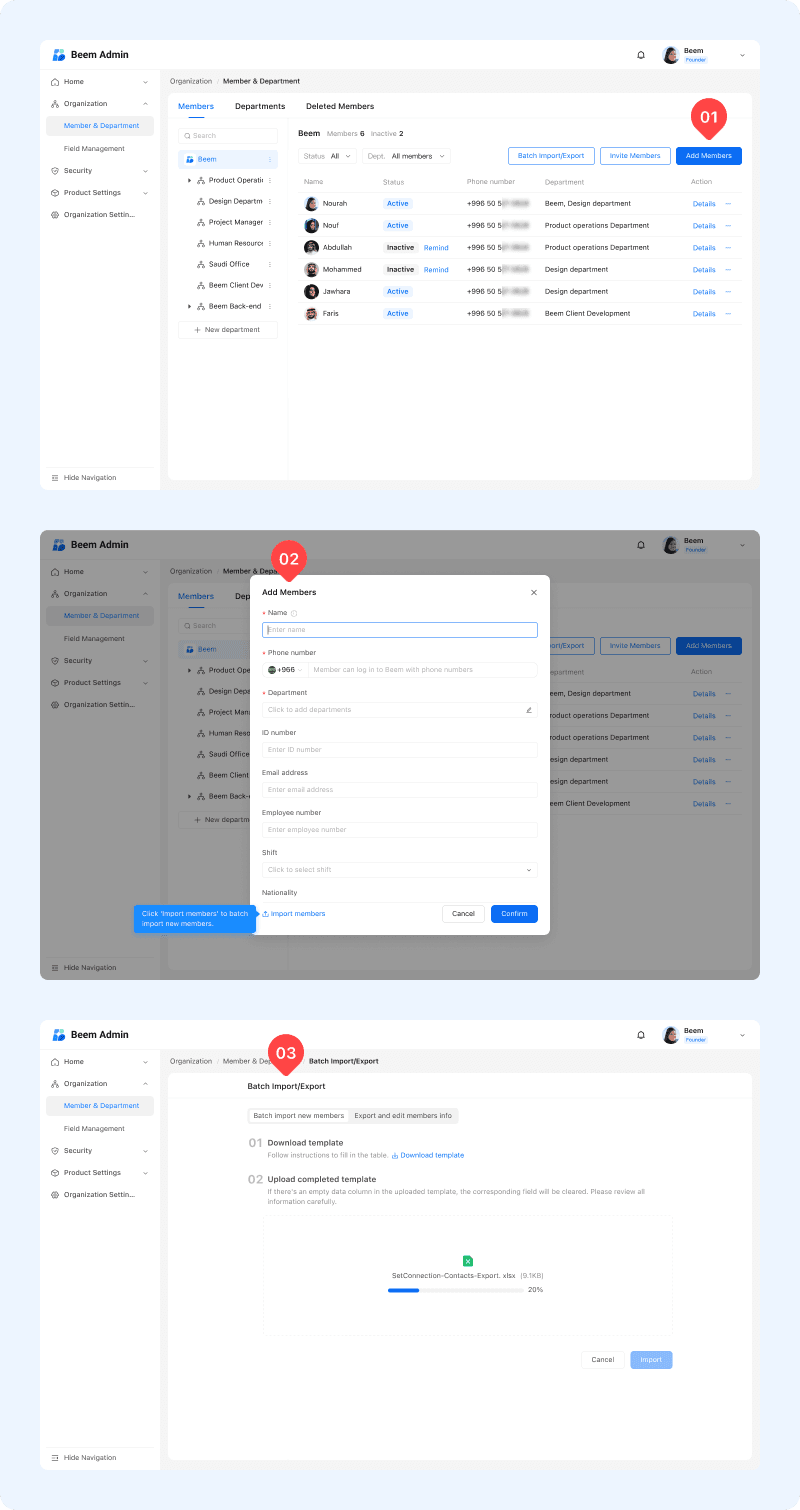
  1. Administrators can add members directly through the Admin Suite, either by adding users manually or uploading users in bulk.
  2. Bulk upload is especially useful when onboarding a large number of users, saving time and ensuring accurate data entry.
  3. Once members are added, administrators can manage roles, permissions and organization-wide settings through the Admin Suite.
  4. This ensures your organization is fully set up and ready for efficient collaboration on Beem.

undefined