access_timeEstimated reading time for this article: 3 minutes
Administrators play a key role in managing the organization on Beem. By assigning administrators, you can delegate management responsibilities such as user management, department setup, and organization settings, ensuring smoother and more efficient operations.
Administrators can be assigned through the following method:
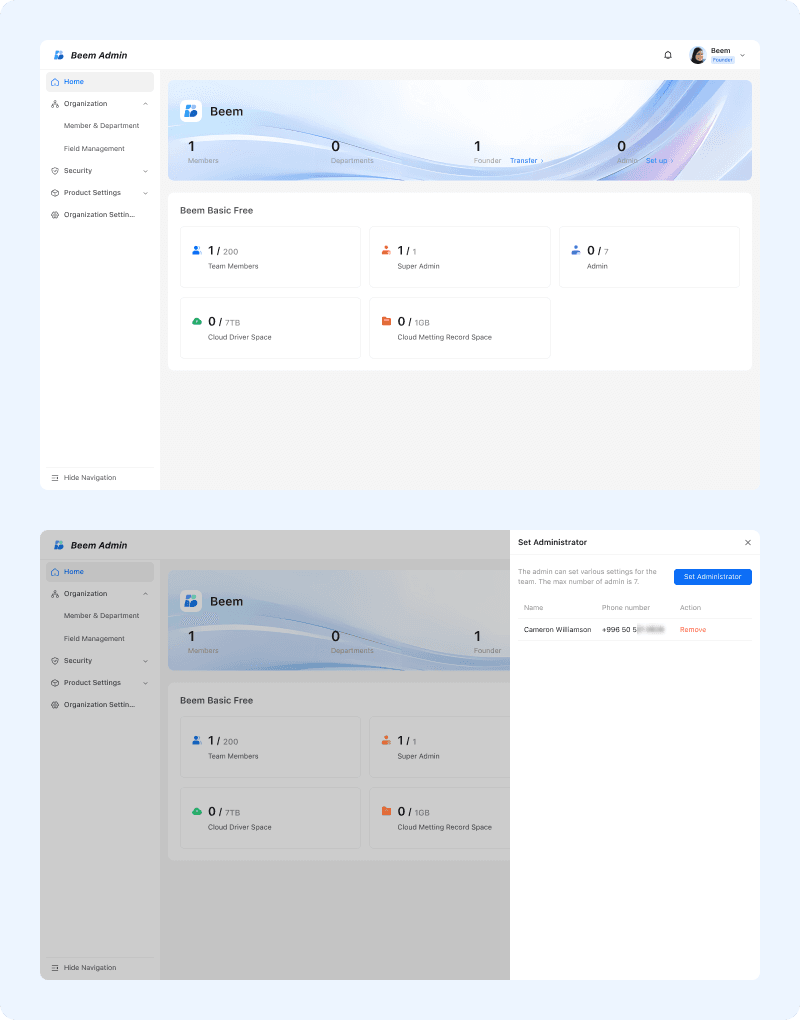
To assign an administrator, open Beem Admin Suite and navigate to the home page.
From the top navigation bar, go to Admins, then select Setup. Search for the member you want to grant administrator privileges to, select the member, review the assigned permissions, and confirm to complete the setup.
Once the administrator role is assigned, the user will receive a notification via Beem Bot. After that, they will be able to access the Admin Suite and perform administrative actions according to the permissions granted.
WARNING
Tip: Administrator permissions should be assigned carefully to ensure data security and proper governance within the organization.